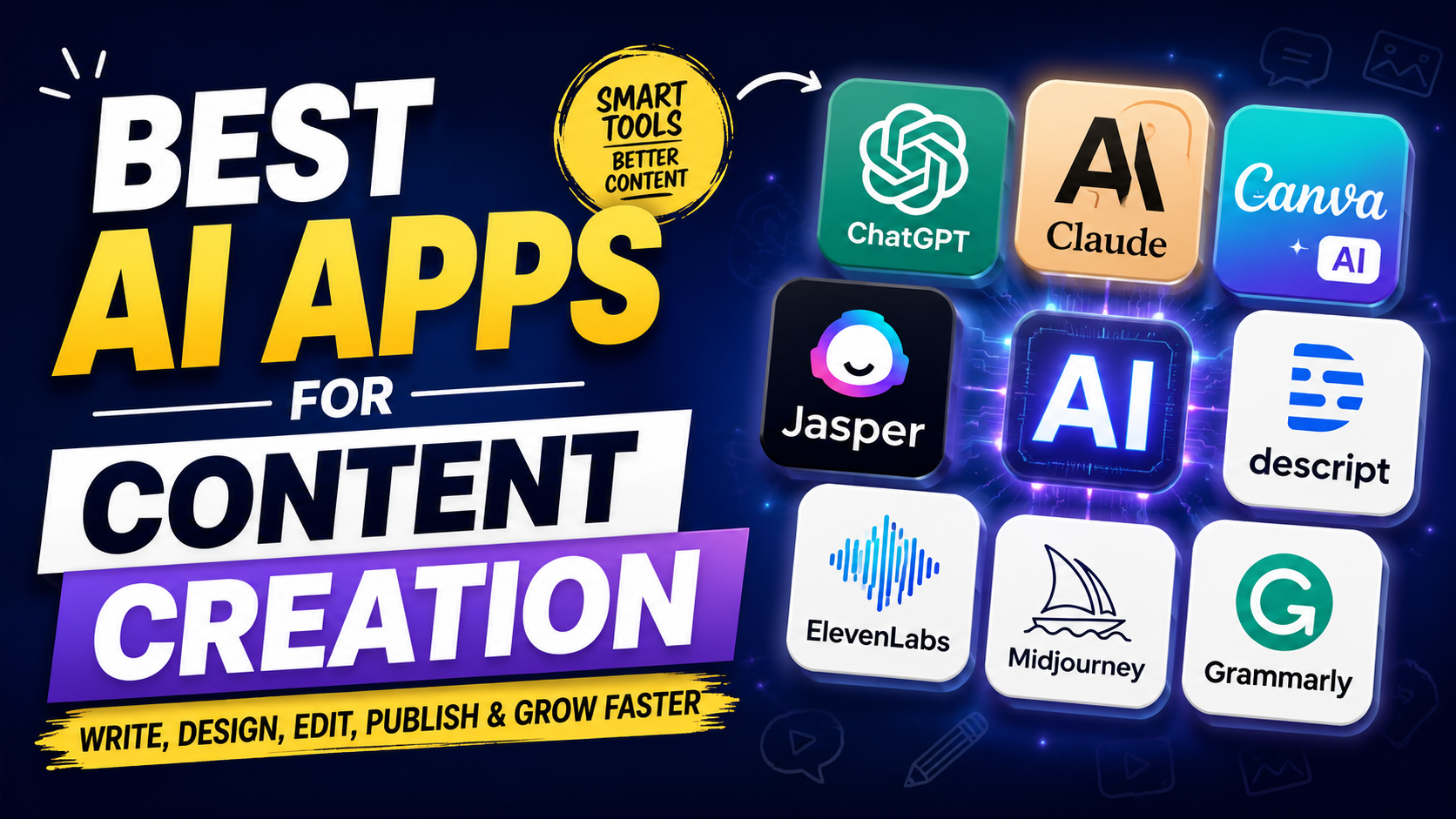
Best AI App for Content Creation in 2026
Creation of high-quality content used to demand an arsenal of individual tools that would assist in researching, writing, creating graphics, editing videos, doing voiceovers, and proofreading. This workflow has been revolutionized by personal AI technology – today, there is a single AI application that can complete several stages of the content creation process, while dedicated platforms will be needed for tasks requiring more sophisticated visuals, audio, or video effects.
But the abundance of AI-powered apps doesn’t simplify your choice. Every content creator needs a different app. A blogger would need a tool for writing and researching, a YouTuber – for video editing and voiceovers, social media users – for design, photo or video creation. This article lists some of the best AI app for content creation and describes their pros and cons.
What Are AI Content Creation Apps?
Content creation software for AI is a technology platform that makes use of artificial intelligence to aid the user in creating, editing, improving, or repurposing content. Depending on the software being used, it could assist in creating blogs, social media captions, images, video, presentations, podcasts, voiceover, script writing, email writing, and other marketing content.
The crucial thing is that there is no need for AI to take the place of the creator. In most cases, the ideal position for it is that of a production assistant. Using AI, you could get ideas, organize information, write a rough draft, get rid of repetitive tasks, or even repurpose the content. The creator will be responsible for making decisions.
Best AI Apps for Content Creation: Quick Comparison
| AI App | Best For | Main Content Type | Ideal User |
|---|---|---|---|
| ChatGPT | Writing, ideas, research and content planning | Text, images, documents | Almost every creator |
| Claude | Long-form writing and editing | Text | Writers and publishers |
| Canva AI | Graphic design and social content | Images, graphics, presentations | Social media creators |
| Jasper | Marketing and brand content | Text | Marketing teams |
| Descript | Video and podcast editing | Video and audio | YouTubers and podcasters |
| ElevenLabs | AI voiceovers and narration | Audio | Video creators |
| Midjourney | Creative AI images | Images | Designers and visual creators |
| Grammarly | Editing and writing improvement | Text | Writers and professionals |
1. ChatGPT
Introduction
ChatGPT is one of the best AI app for content creation, as it is capable of assisting in different stages of the process, as opposed to being focused on just one format. The application can assist in topic generation, making outlines, creating articles, scripting videos, rephrasing texts, summarizing material, generating ideas, analyzing documents, and working with visual content.
The versatility of the tool becomes especially handy when there is a need to engage in multiple types of work. For example, a blogger can come up with an outline for an article, a YouTuber can make a script out of the same topic, and a social media specialist can prepare captions and posts out of the key ideas.
Pros
- Versatile content workflow: Ideation, outlines, drafts, editing, research, scripts, and content reuse can all be done using ChatGPT. This tool is particularly helpful because it allows you to use multiple formats instead of a single content format.
- Useful for beginners: Technical expertise is not required for you to begin. You can explain your desires in plain English, and then continue to refine it through further details, examples, information about the audience, and style guidelines.
- Supports different content formats: Other than regular articles, this can be used by users to generate content for social media posts, email messages, videos, presentations, and much more. This will save users from switching from one application to another for basic writing purposes.
Cons
- Human editing is still important:The content generated by an AI might have errors, use generic language, and contain concepts that require further elaboration. It is important to verify the facts contained within the text, particularly if the document is professional, financial, medical, legal, or news.
- Output depends heavily on instructions: Sometimes an ambiguous prompt can lead to a generic answer. Creators who give the audience’s information, tone, purpose, examples, and content specifications usually get better results.
Best For
- Bloggers and SEO writers: They can be useful in progressing from keyword research and content development to outlining, drafting, FAQ creation, and editing, but will still leave room for human intelligence and creativity.
- Multi-format creators: And if you write articles, scripts, social media posts, emails, etc., having one assistant in general will simplify your work process greatly.
2. Claude
Introduction
Another option for those who place importance on long-form composition, editing, reasoning, and keeping context in longer texts is Claude. This AI model will work well when it comes to reworking existing pieces of text into something that has improved organization, better tone, improved clarity, or is just more refined.
For those authors composing long articles, reports, scripts, or other forms of writing, Claude might work well as an AI partner in writing. Another time when it would work well is when you need well-crafted prose and not a lot of other things, such as designs or media.
Pros
- Strong long-form workflow: Claude can be helpful in organizing long drafts, editing passages, improving transitions, and simplifying difficult explanations without changing the original message too much.
- Useful editing capabilities: Rather than giving AI the task of generating content from scratch, one may choose to submit their own version of the content and get improvements in the areas of clarity, structure, organization, or tone.
Cons
- Not a complete multimedia platform: While writers might be able to use Claude for their needs, those creators requiring more sophisticated graphics, video editing, voice generation, and visual designs should seek extra help.
- Results still require review: Despite having been done professionally by the AI program, there may still be instances when the work produced sounds too monotonous or even makes assumptions which are not made in the sources.
Best For
- Long-form writers: Those involved with blogging, writing, researching and other forms of professional writing will benefit from the emphasis put on writing and editing in this article.
- Content editors:It may be especially helpful if you already have a draft to improve upon in terms of presentation.
3. Canva AI
Introduction
While Canva is famous for being an image design tool, the AI capabilities in this program make it more useful than just that. Users don’t have to start designing everything from scratch with Canva, but rather they can use AI-powered processes to generate or convert designs, social media posts, presentations, and other visual content. Canva can even collaborate with ChatGPT to convert ideas or outlines to designs.
Canva is therefore especially helpful for creators who require visually appealing content in a short period of time but lack graphic-designing skills. However, canva comes under the best AI app for content creation around the world.
Pros
- Beginner-friendly design: Visual content is made possible for individuals without previous exposure to professional designing applications with Canva. The templates, layout tools, editing features, and the AI capabilities minimize the technical difficulty significantly.
- Useful for social media: Graphics can be created for different media and designs can be converted into different media as well. This comes in handy when one particular campaign requires various versions of an image.
Cons
- Template-heavy results can look familiar: If you completely depend on templates without modification, then your content may seem very much alike those of many other templates. Creation of original brand and good editing are still required.
- Advanced users may need more control: Designers who will be dealing with highly complex processes, precise manipulations, or creative control needs may eventually need software that is meant for design work.
Best For
- Social media creators: Canva is very effective in making Instagram posts, thumbnails, banners, carousels, and promotional graphics.
- Small businesses and marketers: It can help teams without dedicated designers to develop consistent visual content without complicating their processes too much.
4. Jasper
Introduction
Jasper’s focus is on marketing and business-oriented writing. Instead of merely being a general AI assistant, it is tailored towards content creation workflows where brand voice, target audience, campaigns, and consistent marketing become essential factors. The current workflow provided by Jasper offers such tools as brand voice and audience creation for the generated content.
Thus, Jasper becomes more useful for marketing professionals and businesses creating a great deal of branded content than for individuals who might require an AI writing assistant only sometimes.
Pros
- Marketing-focused workflow: Jasper is all about business content, which makes it useful for marketers involved in campaigns, promotional copywriting, and more.
- Brand consistency: The brand’s voice and audience characteristics can allow teams to have more consistency in their writing styles when developing different marketing content.
Cons
- May be unnecessary for casual creators:However, if you need blog outlines, ideas, and rewrites occasionally, spending money on a marketing platform designed specifically for this purpose might not be very worth your while.
- Best value comes from marketing workflows: The users who do not produce marketing content on a daily basis can benefit from using the general-purpose AI assistant.
Best For
- Marketing teams: Firms that create a large number of marketing materials can gain from workflow systems and branding management.
- Agencies: The management of several clients and content campaigns by agencies will be better served by structured brand and audience controls rather than a simple AI writing interface.
5. Descript
Introduction
Descript has a unique method of creating content in the sense that it uses video and audio as its focus. The main benefit of Descript is the transcript editing feature since it enables one to edit their recorded content using the transcript instead of just using the video timeline alone.
This could be very helpful to podcasters, YouTubers, teachers, and companies who need to edit lengthy audio content to shorter content pieces, which makes it one of the best AI app for content creation.
Pros
- Text-based video editing: Editing via a transcript can make it easier to eliminate parts, correct spoken errors, and restructure the audio by creators who feel more comfortable editing via the written word.
- Useful for repurposing: A lengthy video or podcast can be edited into smaller segments and different types of platform-related content so that creators can maximize their profits from one recording.
Cons
- Not primarily a writing tool: The bloggers and text-based writers will not need its workflow, which is designed for videos and audios.
- Complex projects may still require professional software: Creators that are making very intricate film editing may want to have better video-editing options in the future.
Best For
- YouTubers and podcasters: Descript is particularly helpful for those who have recordings of long-form spoken content that need to be edited and reused quickly.
- Content teams: This tool can help teams convert webinars, interviews, podcasts, and other presentations into many publishable pieces of content.
6. ElevenLabs
Introduction
ElevenLabs is an AI-powered technology firm that focuses on AI-generated voice. Voice technology could be helpful to content producers when it comes to narrating videos, doing voice-overs, or creating content in different languages without having to manually record everything.
When it comes to production, voice technology makes things faster for content creators who produce educational videos, explainers, social videos, etc.
Pros
- Useful voice generation: Creators will not need to record each and every sentence when generating narration for their videos and other productions. This is a process that could help to make some processes much simpler.
- Useful for multilingual content: Using AI voice technology will allow creators to create content in additional languages and expand their audience beyond their original language market.
Cons
- Voice quality does not replace human performance: Despite the convincing sound of an AI narrator, there are cases when emotional delivery, personality, timing, and performance might need to come from a live narrator.
- Responsible use matters: Artists must be careful about issues related to consent, rights, and platform policies regarding voice cloning or voices similar to humans.
Best For
- Video creators: Voiceovers for educational videos, explainers, tutorials, and similar formats may find value in AI-generated voiceovers.
- Multilingual creators: It may also prove beneficial while extending an existing content library to other languages or markets.
7. Midjourney
Introduction
Midjourney is made for generating AI images and is most widely used by people seeking a unique and creative visual experience. Unlike general AI assistants, Midjourney’s primary use is creating visuals.
AI image generation is useful for artists to generate concepts and illustrations for blogs, marketing campaigns, thumbnails, backgrounds, and more. However, generated images should always be checked and verified before being published commercially, particularly if they are required to be accurate and realistic.
Pros
- Strong creative imagery: Midjourney is valuable if an artist needs visually unique pictures instead of just stock pictures.
- Excellent for visual experimentation: Designers can try out different concepts, moods, compositions, and artistic styles much faster than trying out each one separately.
Cons
- Less suitable for editable layouts:If you require a completed design for your social media posts with editable text, logos, and branding layout designs, using an online design website like Canva would make more sense.
- Prompting requires experimentation: Achieving a particular visual result could require many tries. The creators will have to fine-tune the descriptions and instructions to achieve a particular result.
Best For
- Visual creators: Those involved in design, blogging, advertisement, or social media creation who need original imagery that is generated by an AI can use it to aid their visual ideation and production process.
- Creative campaigns: It is particularly useful when traditional stock photos fail to capture the mood or the concept that is needed.
8. Grammarly
Introduction
Grammarly should ideally be considered an AI-based tool for enhancing writing and editing but not an entire content creation software suite. It assists in developing grammatically strong, clear, tonally correct, worded well, and readable content. Grammarly’s AI capabilities can further aid the process of developing the content through brainstorming and drafting.
When creators already have their own AI tool for creating drafts, Grammarly could come handy as an additional editing tool. The difference is important since the processes of content creation and content improvement are different. Grammaly’s appealing features makes it best AI app for content creation that helps to fix grammar error on the go.
Pros
- Useful for polishing drafts: Grammarly can help detect problems within language and suggest ways to improve them, thus making the content created more comprehensible.
- Helpful for non-native English writers: For those who have good understanding of English language, but have difficulties with grammar and phrasing, this service can be another editing tool to apply.
Cons
- Not a complete content-production system: However, it is not an alternative for specialized video editing software, image creation tools, or sophisticated research facilities.
- Suggestions should not be accepted blindly: An AI writing suggestion could possibly enhance a sentence but end up taking away the personality from it or altering its meaning altogether.
Best For
- Bloggers and writers: It is effective as the final layer of editing once an article, e-mail, script, or social media post has been written.
- Professional communication: This can be utilized by businesses and professionals for making written communication more clear and consistent.
How to Choose the Best AI App for Content Creation
There is no single AI application that will be most appropriate due to its wide feature set. The right way to think about it is: At which stage does your content workflow lag behind?
In case you are faced with the challenge of generating ideas and writing a draft, the best choice for you would be using general AI assistants like ChatGPT or Claude. In case your content requires intensive use of visuals, you will find Canva or Midjourney more helpful. Descript is the best application for video creators while those who need a professional AI narration will find ElevenLabs more useful.
Jasper may be more suitable for marketing departments as this tool is oriented at brand-oriented content creation. Writers can use Grammarly as a separate application to edit the draft created using any other AI application.
The right strategy here is to select one AI tool and introduce other applications into your workflow when you face a specific challenge. Modern workflows of creators are inclined towards integrating a few special tools instead of using dozens of similar AI applications.
Best AI App Based on Your Content Type
- For Blogging and SEO Content
Best starting choice: ChatGPT or Claude
AI tools can be used to help generate topics, outlines, research support, writing, and content planning. But never publish AI-generated material without checking the facts, adding your own data, and editing the article for its real audience..
- For Social Media Content
Best choice: Canva AI + a writing assistant
The use of social media needs both words and pictures. A writing assistant can provide assistance in creating captions and ideas for the content, whereas Canva can help create the visual representation of such content.
- For YouTube and Video Content
Best choice: Descript
Descript is especially handy when you begin your process with a long audio recording. Descript’s transcription editing and repurposing tools can help transform that one audio recording into many different items of content.
- For AI Images
Best choice: Midjourney
If original visuals are what you need, then consider Midjourney. If you need your visuals to be editable and branded, then Canva might be the tool for you.
- For Marketing Content
Best choice: Jasper
Marketing teams creating scaled content could find value in a platform which revolves around brand voice, audiences, and campaigns.
- For Writing Improvement
Best choice: Grammarly
If you have created your content somewhere else but still wish to have a check for grammatical correctness, clarity, and tone in addition, Grammarly can seamlessly blend into the process.
Before choosing the best AI app for content creation it is important to understand your needs and what you are looking for. This simple and smart move can help you to choose the best deal that works for you.
Can AI Replace Human Content Creators?
While AI could automate parts of the process of creating content, this doesn’t mean that it could replace good creators.
The best way of working would be human strategy + AI help + human editing. While AI could provide the possibilities, it’s the human being who decides what is worth publishing, what is information to trust, what the audience really needs, and how the content should differ from everything else available online.
The reason is that increasing the number of published content is not equal to producing high-quality material. Nowadays, there are more and more pieces of creator-focused research and tool guidance that emphasize using AI to get rid of repetitive work and keeping human decision-making in strategy, editing, accuracy, and originality.
The one who just tells the AI tool to create an article and then publish its first version will get the result really fast, but it might not be unique. The one who uses AI to help him/her with researching, idea generation, structuring, drafting, editing, and repurposing, while also including personal experience and accurate information, will get much better content.
Final Verdict: Which AI App Should You Choose?
There is no single best AI app for content creation for everyone. If there is one tool that you want to start with, ChatGPT should definitely be considered because of its versatility in terms of writing, brainstorming, research, editing, and various content types.
If long-form writing is what you need primarily, then Claude would be a good pick. Canva AI is great for visuals, Midjourney for creativity in image generation, Descript for videos and podcasts, ElevenLabs for voice generation, Jasper for marketing purposes, and Grammarly for improving writing.
It would be a wrong idea to accumulate all AI applications available on the market. You should start with one tool that helps you address your major issue. Then, consider adding another one when you clearly define a task that you cannot solve with the former one.
AI is the best way to multiply your creativity. Your ideas, knowledge, experience, judgment, and insight into the audience are key components that help you transform the generated content into something people really want to consume.

My name is Sachin, an SEO Expert and Technical Content Writer covering AI tools, productivity software, and digital marketing. I write practical, research-backed guides to help individuals and businesses find the right technology to grow faster and get more done.