
Best AI Tool For Invoice Generation for Freelancers & Small Businesses
Building an invoice manually in Google Docs or spreadsheets costs you hours every month. Instead, you could invest this time in an actual client to achieve a good result. Manually building an invoice requires you to hunt for last month’s template, copy client details, re-enter items, and hope you got the math right. But the good news is that an AI tool for invoice generation eliminates this entire cycle and allows you to describe what you need in plain English.
These AI tools for personal productivity not only save your time but are also able to generate and deliver branded, ready-to-send invoices in seconds. Apart from this, these tools can automate payment reminders, handle recurring billing, track when clients open your invoice, and let you process online payments without using any spreadsheets. If all this sounds interesting to you and you want to know everything in detail, stay with us.

What Is an AI Invoice Generator?
An AI invoice generator is smart software that uses artificial intelligence to generate a professional, ready-to-send invoice within a minute. You don’t have to fill in fields, calculate totals, or format anything yourself. This eliminates the chances of human error and also reduces your manual, repetitive effort.
Instead of going for a spreadsheet or Word template every time, here you only have to describe the work in simple English, and the rest, AI will take care of. Once you describe everything, the tool instantly creates a fully formatted, branded invoice with the correct math, tax, and payment terms.
However, modern AI tools or software not only generate a document but also handle the entire billing cycle from start to finish.
- Invoice Generation – Allows you to create a polished invoice within a few seconds from a text prompt or using pre-saved client data.
- Automated Payment Reminders – Modern tools are able to handle automatic follow-up with your client if payment is due.
- Online Payment Collection – If the client is willing to pay, they can directly pay from the invoice via credit card, ACH bank transfer, or PayPal.
- Real-Time Tracking – It offers you a real-time tracking system that tells you exactly when your client opened, downloaded, or paid the invoice.
How is this tool different from a regular AI Invoice Tool?
General or regular AI invoice tools are very different from this smart AI invoice generator tool. Where regular AI tools only give you a blank form to fill out, and you do all the work manually. On the other hand, an AI-powered invoice generator tool or software can generate an invoice automatically using the given data. Below, we have given a table that explains the difference between a regular AI tool and an AI invoice generator tool. Let’s check it to learn more.
Who Needs an AI Invoice Generator?
If you are still wondering who needs an AI invoice generator and thinking it is only for big brands and organizations, you are wrong. The smart AI is built specifically for:
- Freelancers – The AI invoice generator is best for designers, writers, developers, photographers, videographers, and those who bill multiple clients every month.
- Small Business Owners – The AI invoice tool is also ideal for consultants, agencies, and contractors who are managing 5 to 10 clients.
- Solopreneurs – Any individual who is running a business and who doesn’t want to waste hours on admin work.
- Service-Based Professional – The tool is best for service-based professionals such as lawyers, accountants, marketing consultants, coaches, and many more.
The AI invoice generator tool is not only for big brands and organizations, but it is for everyone who wants to save time and elevate productivity.
How Manual Invoicing Is Killing Your Productivity?
Before we jump into the AI tool for invoice generation, or an AI personal automation tool, it is important to understand the scale of the problem. If we go through the Ardent Report 2025, the average cost to process a single invoice manually is $15.97, compared to $2.36 for an automated process. The common pain points in generating an invoice manually are:
- You need to re-enter the same client and service details every single time.
- Manually invoicing reminds you to follow up on overdue invoices.
- A calculation error delays the payment or damages the client’s trust.
- No facility to track whether a client has opened your invoice or not.
- Spend a big amount of time formatting and emailing that adds no value.
An AI invoice generator tool solves all these issues single-handedly. The best thing is that a good invoice generator tool not only creates invoices, but also manages the entire cycle from approval to final payment.
What to Check For an AI Tool For Invoice Generation?
Not all AI invoice tools are designed to cater to your demands. Here are some things that separate the genuine platform from the noise. To know everything, check the points mentioned below:
- Natural Language -Check if the tool allows you to describe the job in plain English and get you a formatted invoice. Or it still requires you to fill in the fields manually.
- Automation Depth -Can the tool handle recurring billing, late payment reminders, estimate-to-invoice conversion, or does it only offer you the creation step?
- Payment Integration – Does the tool allow clients to pay directly from the invoice, and is able to reconcile that payment automatically?
- Free Plan – If the tool is offering a free tier, does it really let you run a real business, or does it have a capped monthly limit?
Keeping these criteria in mind will help you to find the best AI invoice generator tool on the go.
Top 5 AI Tools for Invoice Generation
Here we have listed some of the best AI invoice generation tools for you. These tools cater to all your demands and offer you features that you are looking for. Have a look at them to learn more:
Invoicer.AI – Best Tool For Speed
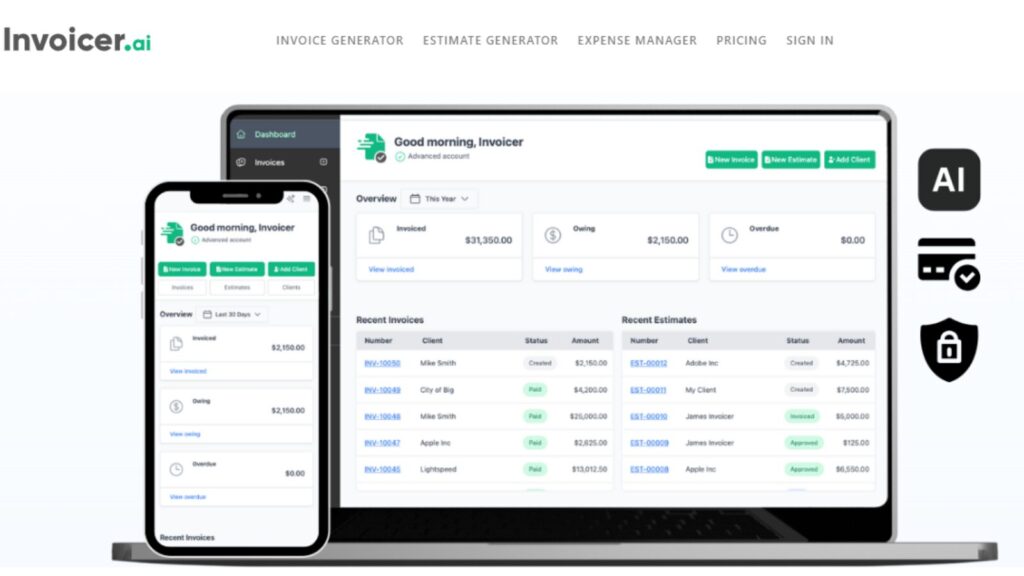
Invoicer AI is one of the best tools when it comes to generating and sending invoices within minutes. The starting price of this tool is $10 for a month. It has a 14-day free trial, without adding your credit card. It helps you to test the tool and check if it is fulfilling your needs or not. You only need to describe your job in plain English, with the time frame and price. It will generate a polished invoice, calculating the total including tax and delivery costs in just a few seconds.
- Key Features
- Natural Language Invoice Generator – It allows you to describe any job via chat and get you a formatted invoice without requiring you to fill out a single form manually.
- Real-time Tracking – Invoice AI has features that notify you when your client opens, downloads, or pays the invoice.
- AI Expense Manager – The tool can keep records of everything, like vendor, amount, date, and category, automatically, without needing any manual input.
- Late Payment Reminders -The invoice sends late payment reminders automatically on a schedule you define. without needing a manual follow-up.
- Real Use Case
In a real-use case, a freelance video editor who is working on several projects uses Invoice AI to invoice his clients directly from the editing suite. Rather than using multiple platforms, freelancers describe that they can deliver in a chat prompt, review the generated invoice, and hit send. Also, the tool sends a gentle reminder to clients who do not pay after 7 days without any manual draft email.
- Pros
- Comes with no per-item caps, even on lower-tier plans.
- Lets you describe your job in plain English and be able to handle both invoices and estimates from a single interface.
- Real-time tracking feature for delivery, views, payment, and all tracked.
- Cons
- Invoice AI doesn’t have a dedicated mobile app.
- No public API, which limits integration possibilities for developers who want to build a custom workflow.
Wave – Best Free Plan Tool
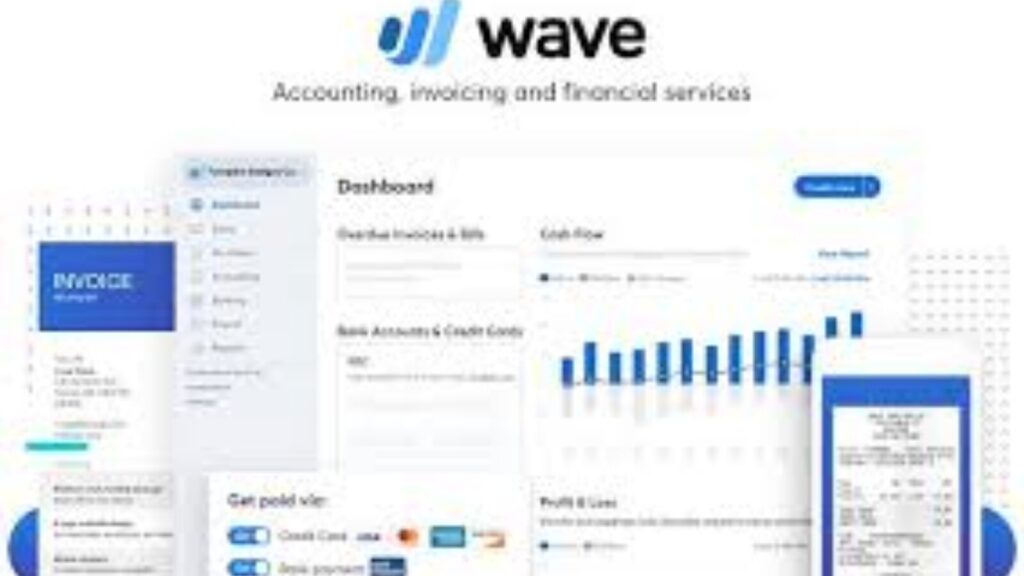
Wave has been one of the first choices for users who are looking for a plan tool with ideal features. Its free starter plan gives you unlimited invoices, clients, recurring billing, automated payment reminders, expense tracking, and all. The best thing about Wave is that there is no monthly fee. The only cost is a per-transaction fee if your client pays online.
- Key Features
- Comes with unlimited invoicing on the free plan with no client caps.
- Its new update helps simplify expense categorization and cash flow forecasting for you.
- Comes with recurring billing with automated reminders.
- It has multi-currency invoicing facilities with customizable branded templates.
- It allows clients to pay with their credit card, ACH, Apple Pay, or directly through the Invoice.
- Real-Use Case
A freelance copywriter billing his 12 clients monthly uses Wave’s free plan to send invoices at no monthly cost. This simply helped him to save a handsome amount of money every month. Moreover, the tool sends retainer invoices automatically on the first of each month. Also, it updates the bookkeeping dashboard without needing any manual input whenever a client pays.
- Pros
- Offer unlimited free invoicing without needing any subscription.
- It has no client cap, no invoice cap, and no hidden feature walls on the basic plan.
- It has AI-enhanced expense tracking and predictive cash flow.
- Automatically updates bookkeeping alongside invoicing.
- Cons
- Requires a pre-transaction fee when paying online.
- It has no inventory management and has limited reporting, which shows its downside.
FreshBooks – Ideal For Hourly Billing
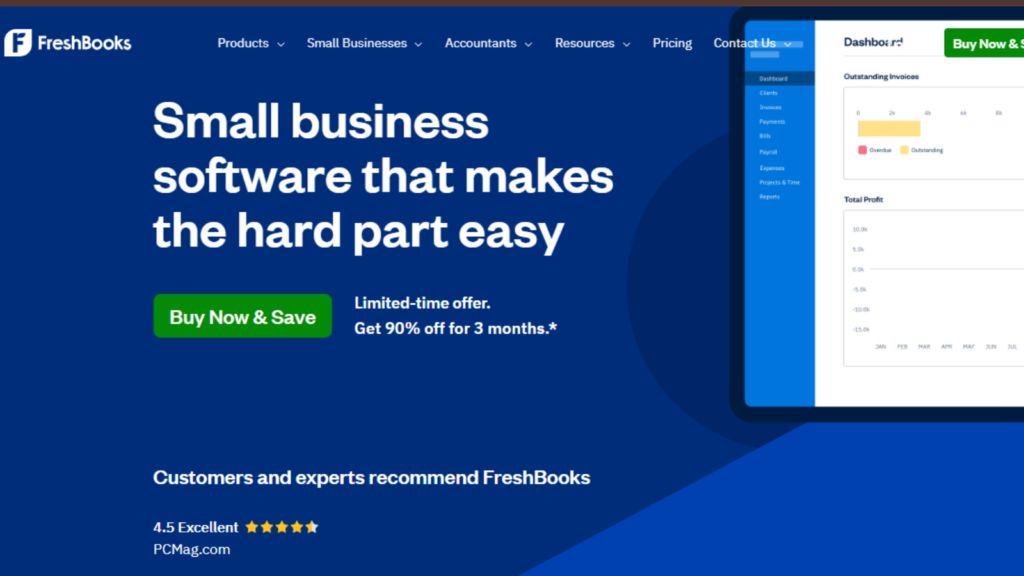
The starting price of this tool is $19 per month and can go up to $33 per month. FreshBooks is the invoicing AI tool for invoice generation for service-based freelancers who charge by the hour. The tool is built to track every single thing; it can track and log hours to a project and allow you to add to an invoice with a click. It simply eliminates the need for a separate time tracker. The platform is mainly renowned for its user-friendly experience. Apart from this, the platform offers one of the best customer support services for its users.
- Key Features
- The tool is built on a time tracking system for every plan. It is able to track your hours on a project and can transfer them to an invoice with one click.
- It has a feature to automate late payment reminders and automatic late payment fees.
- It allows you to communicate with clients without leaving the app.
- It gives you features to request an upfront percentage of payment before starting a project.
- Real Use Case
A social-media manager managing four monthly retainers and two hourly clients by using FreshBooks to track all billable time per account. At the end of the month, logged hours auto-populate each client’s invoice with expenses added in seconds from the mobile application. On the other hand, retainer invoices are set to recur automatically, while hours invoices are created once the time logged for the month is confirmed. FreshBooks sends clients branded invoices and allows them to pay online on the go. However, if they don’t pay, the tool sends two gentle reminders and then applies the late fee.
- Pros
- Comes with time tracking features in all plans.
- Its user-friendly interface makes it easier for users to use the platform more confidently compared to QuickBooks and others.
- Offers a better mobile experience with full features for creating and managing invoices on the go.
- Cons
- Its Lite tier plan has a cap of 5 billable clients only. For more clients, you need an upgraded plan.
- It has no free plan for users; it only has a free 30-day trial.
Zoho Invoice – Best Free AI Invoicing Tool
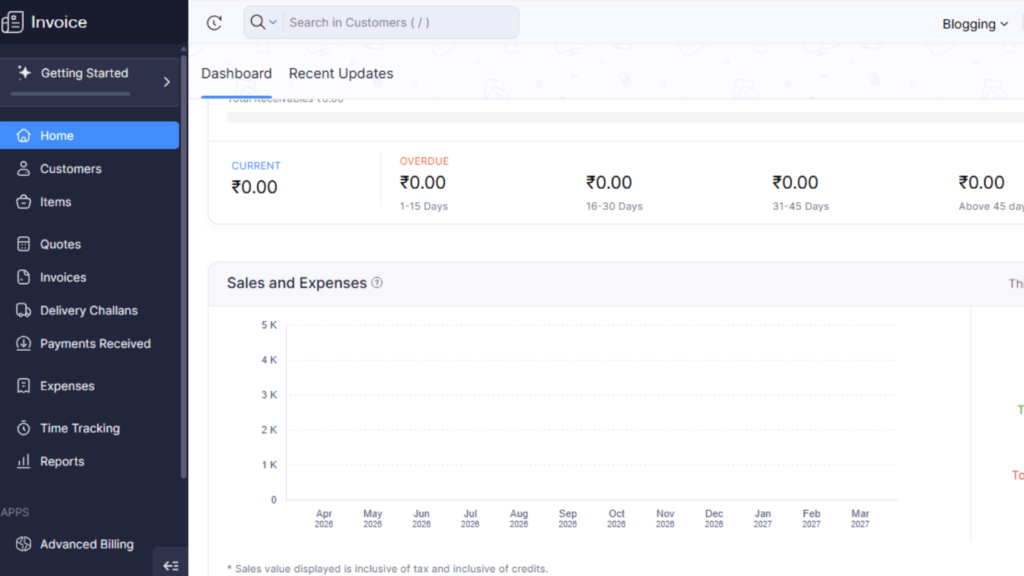
Zoho Invoice holds a unique position in our list. It is the only tool that is truly free and has no subscription or upgrade tiers. Even as a free tool, it offers you an AI assistant, multi-currency support, a time tracking system, and a client portal. and offer you 30+ financial support. Also, its Zia AI assistant handles invoice generation from natural language prompts, offers automated payment reminders, and helps analyze your financial data.
- Key Features
- Its AI tool is able to generate invoices from plain language prompts.
- Offer a client self-service portal and allows them to view invoice history, approve estimates, and pay without emailing you.
- It has multi-currency invoicing with an automatic exchange rate.
- It has more than 10 payment gateway integrations, including famous Stripe, PayPal, Net, and Braintree.
- Real-Use Case
A freelance photographer with several clients in the US, UK, and Germany uses Zoho Invoice to bill multiple currencies without needing to convert anything manually. Its client portal offers access to their invoice history and allows them to pay in their preferred currency at any time. Moreover, its Zia AI sends gentle reminders to clients after 7 to 14 days, eliminating the need for the photographer to manually chase outstanding payments.
- Pros
- Comes with no subscription and offers eye-catching features.
- Does not show ads or sell any users’ data, which is rare among free tools these days.
- Its 30+ reports offer you real-time insights into receivables, sales performance, and expense trends.
- Cons
- The platform is capped at 2 users and only allows 3 active projects on the free plan.
- Its invoice includes a “Powered by Zoho Invoice” watermark that can be removed.
Bookipi – Ideal All-In-One Business Suite Tool
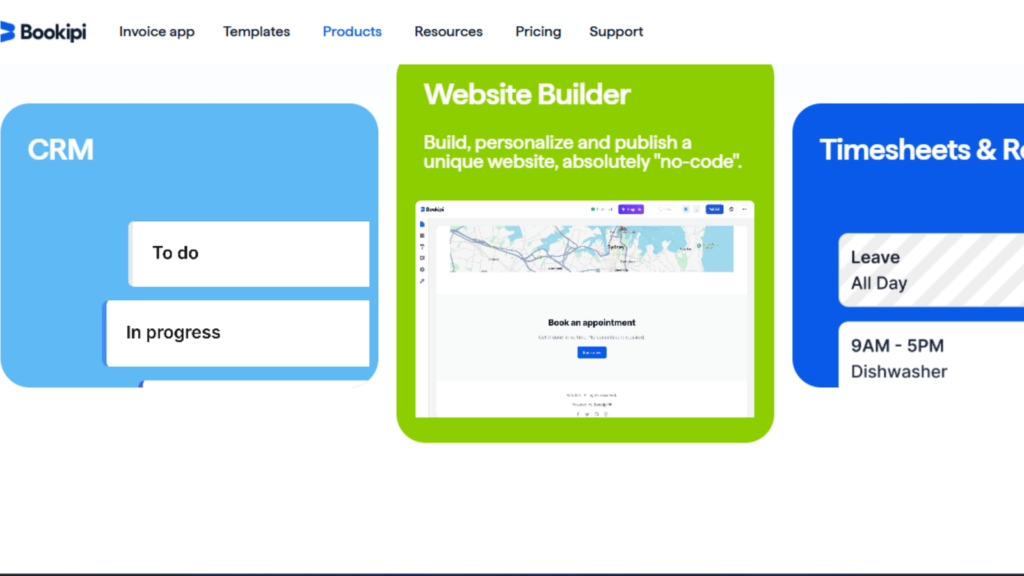
The starting price of this tool is $7 per month, and it has a limited free plan. Bookipi takes a different approach, and instead of building your invoice into a freelance operating system, it gives you lead generation and CRM to proposals, contracts, scheduling, and payment collection in a single platform. You don’t need to switch platforms to run your freelance business. Nevertheless, its AI assistant handles all the conversational requests for new invoices, including customer records and proposals. It helps you to attract clients without switching applications.
- Key Features
- It is a conversational AI assistant that lets you explain your job in plain text and get invoices and customer proposals, and deliver them quickly.
- Offer an end-to-end business flow, from lead generation to website builder, CRM, proposals, contracts, invoices, and payment in one system.
- It automates the admin that handle tasks without manual instruction and saves your time.
- Real Use Case
A freelancer using Bookipi as their complete back office. The best thing is that their portfolio website is built and maintained in Bookipi, which generates inbound inquiries that reach directly into the CRM. Once a prospect converts, Bookipi AI drafts a proposal, collects a digital signature, auto-generates the contract, and issues the first invoice on the project. Apart from this, AI is able to handle follow-up emails, appointment scheduling, expense logging, and more.
- Pros
- Eliminates the need to use 4 to 5 separate AI tools. It offers you invoicing, CRM, proposals, Contracts, and scheduling in one subscription.
- It handles natural language requests for invoices, customers, and business documents.
- Offers a better mobile experience on iOS and Android.
- Cons
- The tool is more complex to set up than dedicated invoicing tools.
- Requires higher-tier subscription plans for full features.
These top AI tools for invoice generation not only offer you invoices, but also provide you with everything that you need to manage your clients smoothly.
Side-by-Side Comparison of AI Tools
Here we have provided a quick comparison table that will help you to choose the best tool according to your situation.
| Tool | Best For | Free Plan | Starting Price | Ease of Use | Best User Type |
|---|---|---|---|---|---|
| Invoicer.ai | Fastest AI invoicing | 14-day trial | $10/month | 5/5 | Freelancers, tradespeople |
| Wave | $0 invoicing + accounting | Yes (unlimited) | $19/mo (Pro) | 4/5 | Solopreneurs, bootstrapped founders |
| FreshBooks | Hourly billing + time tracking | 30-day trial | $23/month | 5/5 | Service freelancers, consultants |
| Zoho Invoice | Best free AI invoicing | Yes (forever) | $0 (or Zoho Books $15/mo) | 4/5 | Budget-conscious solopreneurs |
| Bookipi | Full freelance business suite | Yes (limited) | ~$7.60/month | 3/5 | Multi-service freelancers |
How to Generate an Invoice Using An AI Tool?
If you have never used an AI tool to generate an invoice before, this section is useful for you. Here we will walk you through the entire process from account setup to receiving payment. Therefore, stay with us to learn everything.
Step 1: First, Create Your Free Account
Go to the official Zoho.com invoice page and tap on the Get Started button for free. From here, you have to provide required details like your business name, email, and your country. Here, one thing you need to understand is that the Zoho invoice is permanently free.
Once you’re done with your business profile setup:
- Upload your profile photo.
- Add your business address.
- Choose your currency.
- Set your payment terms.
This whole setup process will take only a few minutes, and after this, every invoice you generate will automatically carry your branding.
Step 2: Add Your Client Details
- First, go to your contacts.
- Click on New Contact.
- Enter your client’s full name or business name.
- Email address.
- Billing address.
- Currency.
You only have to enter it once, and Zoho will save the information permanently.
Step 3: Generate a New Invoice Using AI
- Click Invoices and tap on the new invoice from the left sidebar.
- In the top right corner, you will get a Zia AI assistant button.
- Tap on the button and explain your job description in plain English.
- Once you’re done with your job description, Zia will quickly pull out that person’s contact details.
- Calculate the subtotal for you.
- Apply tax charges accordingly.
- It will set the total and due date 30 days from the current day.
It will generate a branded invoice in 30 seconds for you.
Step 4: Review & Customize
Before tapping the send button, take a quick review:
- Check the line items.
- Tax rate applied correctly or not.
- Check payment terms.
- Notes section.
Step 5: Send the Invoice Directly To Your Client
Once you’re done with the review, hit the send button, and Zoho will email the invoice
- directly to your client from inside the platform. It will include:
- It will send a professional, branded invoice PDF attached.
- It will give a Pay Now button linked to your payment gateway.
- Will deliver your custom message if you added.
Your client doesn’t need the Zoho account to view or pay the invoice.
Step 6: Set an Automatic Payment Reminder
Most freelancers skip this step, and this costs them money.
- Go to the settings, click on Reminder, and set.
- Set reminder 1: 3 days before the due date.
- Set reminder 2 on the due date.
- Reminder 3: 7 days after the due date.
Zoho will send all three reminders without needing any manual action.
Step 7: Track Payment in Real Time
Once the invoice is sent successfully, go to your dashboard, where you can see:
- Sent – Invoice delivered successfully.
- Viewed – It will show that the client has opened the invoice.
- Payment Initiated – Client clicked the Pay Now button.
- Paid – Payment received and bookkeeping updated.
Once you receive the payment, Zoho will mark the invoice as paid.
Step To Generate an Invoice Using AI
| Step | Action | Time Taken |
|---|---|---|
| Step 1 | Create free account + business setup | 3–4 minutes (one time only) |
| Step 2 | Add client details | 2 minutes (one time per client) |
| Step 3 | Generate invoice using Zia AI | Under 30 seconds |
| Step 4 | Review and customize | 60 seconds |
| Step 5 | Send invoice to client | 10 seconds |
| Step 6 | Set automatic reminders | 2 minutes (one time setup) |
| Step 7 | Track payment status | Real-time, no action needed |
Conclusion
The tool that we have listed in our article is able to solve your problem and eliminate the need to fill in any column manually; some AI tools generate notes as well. Now, if you are still confused because of a low budget, you can start with Zoho, which is totally free and gives you eye-catching features that not only generate your invoices, but also let you automate your business on the go.
Indeed, Bookipi is one of the hot favourites for everyone who prefers to manage all their clients and entire freelance operation on a single platform. On the other hand, Wave offers free plans that cater to most of your demands and offer you a professional service. Choose the tool as per your needs to get better results. Instead of following the other suggestion.
FAQ’s
Q – What is an AI tool for invoice generation?
Ans – An AI invoice generation tool uses artificial intelligence to create professional invoices from plain-language descriptions. Rather than filling in fields manually, you describe the job in natural language — ‘invoice for 5 hours of web design at $100/hr for Client A’ — and the AI produces a formatted, ready-to-send document instantly. The best tools also automate reminders, recurring billing, expense tracking, and payment processing to eliminate manual admin entirely.
Q – Is there a completely free AI invoice generator?
Ans – Yes. Zoho Invoice is permanently free with no paid tiers, and it includes an AI assistant (Zia), time tracking, multi-currency support, automated reminders, and a client portal. Wave also offers a free Starter plan with unlimited invoicing and no monthly fee. Both are fully legitimate options with no feature traps — though Wave charges per-transaction fees when clients pay online via credit card or bank transfer.
Q – Which AI invoicing tool is best for freelancers?
Ans –The best choice depends on your primary need. Invoicer.ai is best for raw speed — generating any invoice from a chat prompt in under 30 seconds. Zoho Invoice is best if you want zero monthly cost with solid AI features and international payment support. FreshBooks is best if you track billable hours alongside your invoicing. If you want an all-in-one system that handles CRM, contracts, and payments beyond just invoicing, go with Bookipi.

My name is Sachin, an SEO Expert and Technical Content Writer covering AI tools, productivity software, and digital marketing. I write practical, research-backed guides to help individuals and businesses find the right technology to grow faster and get more done.