5 Best AI Tools for Personal Productivity in 2026 (Actually Free)
In today’s digital world, technology has changed the way we work and no longer measures us by how many hours we work, but by how effectively we use those hours. This is where AI tools for personal productivity help you to boost your productivity. Nowadays, across the USA and several other countries, professionals, freelancers, students, and entrepreneurs are facing a common challenge. Too many tasks, too little time, and constant digital distractions. As we know, artificial intelligence is no longer limited to large corporations or technical experts. But AI-powered productivity tools are now accessible to everyday users for automating tasks and helping to complete homework. If this sounds interesting to you, stick around because in the following article, we will discuss the best productivity tools and their usage. Therefore, do not jump anywhere else.
Who Should Use AI Productivity Tools?
In these modern days, AI productivity tools are no longer limited to tech companies or automation experts. Instead, nowadays professionals across various industries use AI tools to reduce workload, repetitive work, organize tasks quickly, manage business, create content, and much more. The biggest benefits of AI tools are that they can help save time and reduce mental workload.
Here, I have mentioned the people who benefit the most from AI productivity tools. Let’s have a look at them to know more:
- Remote Worker – A remote worker often struggles with meetings, emails, task management, and communication tools throughout the whole day. An AI productivity tool can simplify all these workflows by automating repetitive tasks such as meeting summaries, email drafting, scheduling, and task management.
- Freelancers – Mostly freelancers juggle multiple responsibilities at a single time, including client communication, proposals, invoicing, project management, and content creation. AI tools easily automate these tasks and save time.
- Content Creators -Usually, content creators struggle to follow trends, but using AI tools can speed up their content creation productivity. AI can help creators to:
- Generate content ideas,
- Write scripts.
- Create Captions.
- Turn long videos into short clips.
- Schedule posts automatically.
- Startup Founders & Entrepreneurs – Startup founders use AI tools across the world to manage operations, marketing, communication, hiring, and planning. AI tools help founders to complete repetitive tasks and stay organized. Many Founders Use AI Tools For:
- Brainstorming better ideas.
- To create marketing content.
- Summarizing meetings.
- To organize tasks.
- For automating customer communication to obtain better results.
- Students – Nowadays, using AI tools to complete their homework and understand any topics in detail. Often, students use AI for:
- For research assistance.
- For summarizing study material.
- For creating study plans.
- For improving writing productivity.
- Corporate Professional – Across the US and around the world, professionals who work in corporate settings are starting to use AI to complete repetitive work to save their valuable time. AI personal productivity tools help corporate teams with:
- automate reports.
- summarize meetings.
- draft emails.
- manage schedule.
- Improve workflow organization.
- Small Business Owners – Small business owners often handle various business operations at the same time. An AI tool for personal productivity can help automate repetitive work, customer support, marketing, invoicing, and task management.
AI tools help business professionals, students, working professionals, and everyone save time and obtain better results.
What Are AI Tools for Personal Productivity
AI tools for personal productivity are software applications that use artificial intelligence, such as machine learning, natural language processing, and automation, to help individuals complete their tasks more effectively and efficiently.
Unlike earlier traditional tools or software, which mainly rely on manual input. Today’s modern AI-powered tools can perform various tasks without needing manual instruction:
- It can analyze user behaviour
- Learn preferences over time.
- An AI tool can automate your repetitive tasks.
- An AI tool can provide intelligent recommendations based on your data.
AIs are getting smarter day by day; they can assist and summarize any of your long emails or documents in seconds. Whether you are struggling to do your daily work in the office, it can automatically prioritize your to-do list for you.
How Do AI Tools for Personal Productivity Boost Your Flow?
An AI tool enhances your productivity or flow in several ways, as it can easily automate your repetitive work and fix potential issues before they occur. Below, we have explained everything in detail for you. Have a look at it.
- Automation of Repetitive Work – A good AI tool can automate your repetitive work, such as task scheduling, note-taking, data entry, follow-up emails, and many other tasks on the go, and save you hours each week.
- Make a Confident Decision – AI tools are able to analyze patterns, and they can suggest a better way to organize your tasks, meetings, and priorities to boost your productivity.
- Fast Your Work – AI accelerates tasks like writing, brainstorming, editing, and correcting data without sacrificing quality or time.
- Elevate Focus and Time Management – AI tools can easily identify distractions, optimize schedules, and create focus blocks for you. AI doesn’t replace human effort; instead, it amplifies it.
5 Best AI Tools for Personal Productivity in 2026 (Actually Free)
To understand how you can use an AI tool for your daily tasks to boost productivity. Below, we have given some of the best AI tools for personal productivity. Have a look at them:
ChatGPT – Best Tool for Daily Tasks & Brainstorming
ChatGPT, developed by OpenAI, is the most widely used AI productivity tool worldwide. The tool was launched in November 2022, and it started rapidly growing to over 700 million weekly. The tool is very easy to use; you only need to type what you need in clear and plain language, and it responds instantly.
However, calling it only a chatbot is not enough. It can draft emails, summarize your long documents into simple and clear points, help you brainstorm ideas, write reports, generate code, solve complex questions, plan your week, and much more within a few clicks.
The version of ChatGPT comes with GPT-4 access with usage limits. If you want to use its full potential, its Plus plan, which starts at $20, can be an ideal choice for you. It allows you to unlock full features, including deep research, image generation, voice conversation, memory across sessions, Agent mode, and much more.
- What ChatGPT Can DO For You:
- It can draft emails, proposals, Reports, and your social media posts within a few minutes.
- Able to summarize long articles, PDFs, and documents in clean bullet points.
- Provides an answer to complex questions in detail.
- Single-handedly generate and debug code without needing technical support or knowledge.
- Able to translate across various languages quickly.
- Provides deep research on any topic across the web and delivers a detailed and quality report.
- ChatGPT Best For
- ChatGPT can be an ideal tool for office professionals, freelancers, students, entrepreneurs, and those who want to handle multiple tasks using one tool.
- ChatGPT Pricing – 2026
$0
Basic ChatGPT access for casual AI usage and everyday productivity tasks.
- Basic GPT-4o access
- Limited daily messages
- Web access included
- Ads included in supported regions
$8
Extended usage limits for users needing more conversations and productivity support.
- More message access
- Improved usage limits
- Better everyday productivity support
- Does not include advanced premium tools
$20
Complete premium AI experience for creators, researchers, and power users.
- Full premium feature access
- Deep Research tools
- AI image generation
- Advanced voice mode
- Agent Mode support
- Ad-free experience
$200
Built for heavy AI workloads, advanced research, and large-scale professional usage.
- Unlimited premium access
- Ideal for developers & researchers
- Higher usage capacity
- Advanced AI workflow support
$25
Collaborative AI workspace designed for teams and organizations.
- Shared team workspace
- Admin & permission controls
- Secure collaboration environment
- Your data is not used for training
Pros
- Works for a wide range of tasks and queries.
- Offers a free plan with genuine features.
- Offers easy integration with 60+ apps, including Slack, Google Drive, GitHub, and much more on the Plus plan.
Cons
- The free plan has a message limitation that interrupts the workflow.
- Sometimes it may produce inaccurate information.
- Requires human verification to ensure accuracy.
- Most unique and powerful features only come in paid plans.
Google Gemini – Best Tool for Google Workspace Users
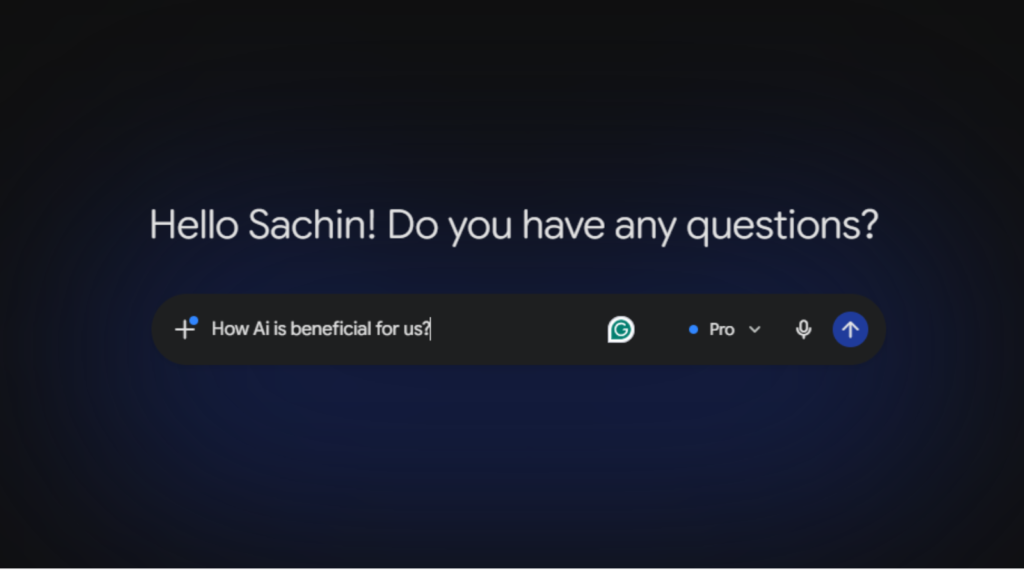
Google Gemini is an AI assistant from Google, with the ability to quickly integrate with popular tools that professionals use every day in their lives. Like Gmail, Google Docs, Google Drive, Calendar, Google Meet, YouTube, and much more.
Gemini can summarize your Gmail, draft replies in your natural tone, generate content inside your Google Docs, create a presentation, and able to analyze the data directly in Google Sheets. The best thing about Gemini is that it has one of the biggest context windows among AI tools, which is up to 12 million tokens. This makes it an excellent tool for processing long documents.
- What Google Gemini Can Do
- It can summarize email threads.
- Can draft replies in your natural tone.
- It can search across Google Drive.
- The tool can analyze spreadsheet data and generate charts inside Google Sheets for you.
- Gemini can summarize meeting notes automatically from Google Meet.
- Can provide real-time questions.
- Google Gemini Best For
- The tools are primarily good for professionals who are already working inside Google Workspace. If you use tools like Gmail, Google Docs, and Google Drive, then Gemini adds AI directly and offers you live assistance.
- Google Gemini Pricing – 2026
$0
Basic Gemini access for everyday AI tasks and web assistance.
- Access to Gemini 2.0 Flash
- Basic AI task support
- Web access included
$19.99
Advanced Gemini experience with deeper context understanding and Workspace integration.
- Gemini Advanced access
- 2M token context window
- Full Google Workspace integration
Pros
- The tool is deeply integrated with all Google Workspace apps.
- It has a 2-million token context window.
- Comes with a free plan and can be used by anyone with a Google account.
- Offers real-time web access for updated information.
Cons
- Not as effective outside the Google ecosystem compared to other available tools.
- For full workspace integration, paid plans.
- The tool is not as flexible as ChatGPT and other AI tools.
Notion AI – The Tool is Best for a Knowledge Worker Who Wants Everything in One Place
Notion AI is one of the most popular and most flexible AI productivity tools, used by more than 100 million users worldwide for notes, Wikis, databases, and project management. The most notable feature of Notion AI is that you can type a natural language question, and it will search your entire workspace to find the relevant pages and give you a direct answer with a source link. You don’t need to go through the documents to find things.
Moreover, like ChatGPT, which searches the open web, Notion AI searches your own private content. This makes it one of the best tools for teams and individual who store their knowledge inside Notion. Apart from this, it can generate content, summarize pages, create action items from your meeting notes, and run AI agents that complete all multi-step tasks on a schedule.
- What Notion AI Can DO:
- It can provide answers from your own workspace documents if you ask a question in English.
- Able to generate text, outlines, and drafts on any page.
- It can summarize meeting notes or documents into action plans.
- The tool is able to autofill database columns using AI.
- It creates meeting notes automatically.
- It automates recurring tasks.
- Who is Notion AI Best For
- The tool is ideal for knowledge workers who want everything in a single place, researchers, content teams, and professionals who are using Notion AI as their primary workspace for notes, documents, and to track projects.
- Notion AI Price – 2026
$0
A lightweight workspace for personal notes, planning, and trying basic AI features.
- Core workspace tools included
- Basic page & note organization
- Limited AI trial access
- Simple collaboration support
- Ideal for solo users & beginners
$10
Perfect for creators and professionals who need unlimited workspace flexibility.
- Unlimited blocks & pages
- Expanded file storage
- Basic team collaboration tools
- Faster workspace organization
- Limited AI functionality included
- Annual billing pricing
$15
Built for teams needing advanced AI productivity, collaboration, and automation tools.
- Full AI access included
- AI Agents for workflow automation
- Ask Notion AI assistant
- AI Meeting Notes support
- Advanced collaboration tools
- Team productivity optimization
- Annual billing pricing
Custom
Enterprise-grade workspace security and compliance for large organizations.
- Custom enterprise pricing
- Advanced security infrastructure
- SCIM user provisioning
- Zero data retention with LLM providers
- Enterprise compliance support
- Scalable organization management
- Priority enterprise assistance
Pros
- You can search your own private documents within a few clicks.
- Can automate recurring workflows without any manual triggers.
- You can track your project, make automated notes, and use wiki tools.
- Offer mult-model access like GPT-5, Claude Opus 4.1, and 3.
Cons
- Requires a business plan to unlock its full potential.
- Utilizing its large features requires a learning curve for new users.
- Not ideal for users who are working outside the Notion Ecosystem.
ClickUp AI – Ideal Tool To Manage an Entire Project With AI
ClickUp AI is an ideal tool with rich features that allow you to manage your full project with AI. The tool is currently used by more than 10 million teams to obtain better results. Alongside this, ClickUp AI brain is an AI layer that adds intelligent automation to a powerful project management system. Its unique features set it apart from other available tools in the market.
The tool easily replaces tasks, documents, spreadsheets, time tracking, Gantt charts, and Kanban boards, all in one place.
The tool can answer your questions about your projects and tasks, write content in your documents, and generate automatic subtasks from a task description. Also, it can summarize an entire project and create a project template from a simple text prompt.
- What ClickUp AI Can Do:
- The tool can summarize tasks, docs, comments, and activity feeds for quick overviews.
- Able to generate images, content, updates, reports, emails, specs, and much more.
- It can transcribe voice notes into actionable tasks.
- The tool creates custom AI fields for action items.
- Who is ClickUp AI best for
- The tool is best for existing ClickUp teams.
- Good for a project manager who wants to automate reports, standups, and task creation.
- Ideal for content or marketing teams who are drafting copy and planning campaigns.
- ClickUp AI Price – 2026
$0
Perfect for individuals starting with task management and basic productivity workflows.
- Free forever plan
- Core productivity features included
- Basic task management tools
- Storage included
- No AI tools included
- Ideal for personal use
$7
Best for creators, freelancers, and growing teams needing unlimited productivity workflows.
- Unlimited tasks & projects
- Unlimited storage access
- Advanced productivity workflows
- Faster collaboration tools
- AI add-ons available separately
- Great for scaling workflows
$12
Designed for businesses requiring reporting, permissions, and advanced operational control.
- Everything in Unlimited
- Advanced reporting dashboard
- Team permission controls
- Workflow management tools
- Business-grade collaboration
- AI add-ons available separately
Custom
Enterprise-grade infrastructure built for security, scalability, governance, and compliance.
- Custom enterprise pricing
- Advanced security features
- SCIM provisioning support
- Enterprise compliance controls
- Dedicated infrastructure support
- Large-scale organization management
Brain AI
$9
Includes core AI productivity tools, smart suggestions, AI assistance, and workflow intelligence.
Everything AI
$28
Unlocks 100+ advanced AI features, premium automations, smart workflows, and enhanced productivity tools.
Pros
- Offers deep workspace integration for quick answers and automation.
- Capable of multitasking, like summaries, writing aids, and its custom AI fields, saves time.
- Scalable AI for professional teams.
Cons
- The platform can be slow occasionally, with mobile bugs.
- Many of its features are niche-based.
- Requires a subscription for add-ons that raise the total cost.
- Can be costly for startups and new business owners.
Reclaim AI – Best AI Calendar Tool
Reclaim AI tools offer you full control over your calendar, so that continuous meetings don’t eat up your entire day, leaving no time for actual work. Reclaim AI solves this exact problem. It is an AI-powered scheduling layer that sits on top of your existing calendar instead of replacing it. In 2026, Reclaim AI has adopted more than half a million users and thousands of companies till now.
This tool may look simple, but it is powerful. Instead of manually creating time blocks for lunch, deep work, exercise, or weekly check-ins, you schedule them automatically, and AI finds the best free time to schedule them automatically. The best thing Reclaim saves more than 7 hours per week through smarter AI scheduling.
- What Reclaim AI Can Do
- This tool automatically defends your deep work hours.
- Reclaim AI operates in two intelligent modes.
- The tool creates predictable deep work time before meetings.
- It schedules your daily routine automatically without needing any manual action.
- Reclaim AI puts your to-do list directly on your calendar.
- It finds the best time to meet across all attendees’ schedules.
- Reclaim AI Best For:
- The tool is best for those who attend too many meetings and want to save time without missing any meetings. Apart from this, it is ideal for freelancers, consultants, remote workers, managers, and team leaders.
- Reclaim AI Price – 2026
$0
Free forever with basic AI scheduling tools for solo users.
- 1 user only
- Connect up to 2 calendars
- 1 recurring Habit routine
- 1 Scheduling Link
- 1 Smart Meeting as organizer
- 3-week scheduling range
- AI Focus Time protection
- AI Task scheduling
- Basic productivity analytics
- 14-day Business trial included
$8
Best for small teams needing AI productivity and workflow automation.
- Up to 10 users
- Everything in Lite
- Unlimited Habits & Tasks
- Unlimited Calendar Syncs
- 3 Smart Meetings
- 3 Scheduling Links
- 8-week scheduling range
- Asana, ClickUp, Jira & Todoist integrations
- Team productivity analytics
- Admin & billing controls
- Slack Status Sync & Zoom support
$12
Advanced AI scheduling and analytics for growing organizations.
- Supports up to 100 users
- Everything in Starter
- Unlimited Smart Meetings
- Unlimited Scheduling Links
- 12-week scheduling range
- People Analytics dashboard
- Priority customer support
- Advanced Time Tracking
- AI Planner for daily scheduling
- Buffer Time automation
- Personal onboarding workshops
$18
Enterprise-grade automation, security, governance, and scalability.
- 100+ users minimum
- Everything in Business
- Unlimited users via domain capture
- SSO & SCIM support
- Organization-wide policies
- Advanced security & compliance
- Dedicated Success Manager
- Custom onboarding & training
- Disaster recovery support
- High availability infrastructure
Pros
- Free plans offer eye-catching features, including AI scheduling.
- Comes with a gentle learning curve, as users claim.
- Comes in an affordable plan of $8 per month per user.
- It saves more than 7 hours per week through the AI tool.
- It is easy to integrate with several tools like Asana, ClickUp, Todoist, Jira, Linear, Google Tasks, and many more.
Cons
- Unlocking its advanced features requires a subscription.
- Missed tasks or deadlines don’t surface with strong alerts sometimes.
- The free plan is limited for users.
- It has no dedicated mobile app.
- Not an ideal tool for users who want to manage the full project in a single place.
These are some of the best AI tools for personal productivity that save you time and give you the freedom to live your life.
Real-World AI Tools for Personal Productivity Workflows
In today’s modern world, using AI tools has become a normal thing. Using a single AI tool can help you to work fast, but to achieve the biggest productivity, multiple AI tools need to work together inside a workflow. In the United States, several big organizations use AI to automate repetitive work, reduce mental overload, and elevate work efficiency without expending team.
Below, we have listed some of the common uses of AI productivity tools by remote workers, freelancers, creators, entrepreneurs, and corporate professionals in 2026. Let’s have a look at it:
1. AI Workflow for Remote Workers – One of the biggest time-consuming processes for a remote worker is switching between meetings, emails, Slack messages, project management tools, and all. AI tools reduce the need for constant switching.
Typical AI Workflow
| Tool | Primary use/feature |
| TaskAI Tool | Task management |
| Fireflies AI | Meeting transcription |
| ClickUp AI | Task management |
| ChatGPT | Writing & summaries |
| Grammarly | Grammar & polishing |
| Motion | Scheduling |
How does this workflow work?
- An AI records and summarizes meetings without needing any manual instruction.
- AI converts important action items into tasks.
- AI drafts follow-up emails as per importance.
- AI tools like ChatGPT help to create reports, summaries, and documents quickly.
Why Remote Workers Use This Workflow?
In the United States and across the country, several remote workers use this workflow to reduce mental stress and daily target pressure. AI completes repetitive tasks without any manual action and allows remote workers to focus during long workdays.
2. AI Productivity Workflow for Content Creators – Content creators spend a big part of their time editing, repurposing, and scheduling content. But now AI tools can automate large parts of the content production process.
Typical AI Creator Workflow
| Tool | Primary use/feature |
| TaskAI Tool | Task management |
| Fireflies AI | Meeting transcription |
| ClickUp AI | Task management |
| ChatGPT | Writing & summaries |
| Grammarly | Grammar & polishing |
| Motion | Scheduling |
Example of an AI workflow for Content Creators
- Creators can generate long-form content ideas with AI.
- Can create scripts and outlines quickly.
- Helps turn long videos into shorts.
- Generate captions and social clips.
- Allows scheduling content across multiple platforms.
Why is this workflow helpful?
The United States market is highly competitive, and it requires consistency more than perfection. This is where AI tools help creators to publish content consistently.
3. AI Workflow for Freelancers – Freelancers often work on multiple projects at the same time and manage proposals, invoices, communication, research, and client work. AI tools help freelancers to automate administrative work and allow them to focus on paid work.
Typical Freelancer’s Workflow
| Tool | Primary use/feature |
| TaskAI Tool | Proposal writing |
| ChatGPT | Invoicing |
| FreshBooks AI | Invoicing |
| Clockify | Time tracking |
| Perplexity | Research |
| Notion AI | Task organization |
Example Workflow
- AI can generate a proposal draft within minutes.
- It can summarize client meetings automatically.
- Organize project notes and deadlines.
- With AI, an invoice can be generated automatically.
- AI speeds up email communication.
Biggest Benefits
With the help of AI, freelancers can manage more clients without expanding teams.
4. AI Productivity for Startup Founders – Small business or startup founders generally work with small teams and limited time. AI helps founders to automate their repetitive tasks and focus on growth.
AI Productivity Founder Workflow
| Tool | Primary use/feature |
| TaskAI Tool | Brainstorming |
| ChatGPT | Brainstorming |
| Notion AI | Team documentation |
| Zapier | Automation |
| Fireflies AI | Meeting summaries |
| Superhuman | Email productivity |
Workflow Example
- An AI tool summarizes investor and team meetings.
- AI tools like Zapier automate repetitive tasks between apps.
- Organize tasks automatically.
- Manage email more quickly.
Why Founders Use an AI Productivity System
For various founders in the United States and across the world, AI works as an assistant who helps to manage operations more quickly.
5. AI Workflow for Students – In many countries, students are using AI tools to complete their homework or to understand any topic in detail.
Typical Student Workflow
| Tool | Primary use/feature |
| Task AI Tool | Study summaries |
| ChatGPT | Research assistance |
| Perplexity | Research assistance |
| Notion AI | Notes organization |
| Grammarly | Grammar support |
| Quizlet AI | Flashcards |
Example Workflow
- An AI tool can easily summarize long study material.
- Helps generate quick revision notes.
- Helps create study schedules.
- Helps to understand difficult topics easily.
Important Note
Use AI only for learning, not to replace critical thinking or effort.
6. AI Workflow for Corporate Professionals – Most corporate professionals spend their time completing repetitive work or documentation tasks.
Typical Corporate Workflow
| Tool | Primary use/feature |
| TaskAI Tool | Email drafting |
| ChatGPT | Email drafting |
| Motion | Scheduling |
| Otter AI | Meeting summaries |
| Notion AI | Documentation |
| Zapier | Workflow automation |
Example Workflow for Corporate
- AI can draft emails and reports.
- It can summarize meetings automatically.
- Makes it easy to manage project documentation.
- Automate repetitive work.
Biggest Benefits
AI helps corporate professionals to automate documentation and repetitive work and work on strategic tasks.
This is how AI tools for personal productivity work and improve professional workflow.
How to Choose the Right AI Tools for Personal Productivity
As so many options are available in the market, it creates an issue in choosing the right tool for you. Below, we have listed some points that will help you identify the best tool for you. Have a look at it:
Key Factors to Consider
- Your Need – Choose a tool as per your primary need to obtain the result.
- Ease of Use – Go for the tools that save you time, not add complexity with unnecessary steps to manage your project manually.
- Integration – Choose the tool that can integrate with modern software and tools like Google Workspace, Microsoft 365, Slack, or other common tools that are used in the US.
- Privacy and Security – Before going for any tool,s check its privacy and security to protect your sensitive data.
- Pricing – Several tools offer a free plan for their users, which is considered ideal for beginners.
These are some of the important points that you need to consider before choosing an AI tool for personal productivity.
My Daily Routine With AI Tools For Personal Productivity
Most articles online only suggest which AI tools to use and how to use them. But there are a few that show you what a real workday looks like when AI is running in the background. However, in this section, we will break down the full daily routine of how US-based professionals, freelancers, and creators are actually using AI in 2026.
6:00 AM – Wake Up & Morning Brain Dump
Before checking your email and social media, open ChatGPT on your phone or laptop and do a quick morning brain dump. Now think about everything on your mind, such as tasks, ideas, worries, and goals for the day. Once done, ask ChatGPT:
“ Here are my plans or thoughts for the day; arrange them into urgent tasks, important but not urgent, and ideas that I have to capture later.”
ChatGPT structures your thoughts into a clean priority planning list in under 60 seconds. This one small practice eliminates the mental stress most people carry for the first 2 hours of their workday.
7:00 Email Triage With AI
Open your Gmail inbox, and if you are using Google Workspace, Gemini AI sits directly inside Gmail. Just click “Summarize this inbox,” and Gemini reads all your emails and gives you a 5-minute summary of what actually needs attention. This saves your valuable time and gives you a chance to think about productivity.
Once you’re done with the email, use Gemini or ChatGPT to draft email replies. Instead of writing from scratch, use this prompt:
“ Draft a professional reply to this email. Keep it under 5 to 7 sentences; keep its tone friendly but direct.”
In the United States, several marketing managers and freelancers find that this method saves them from 45 minutes to under 15 minutes using this method.
9: 00 AM Deep Work Block
This is one of the important blocks of the day. Reclaim AI has defended this time slot and automatically declined or moved any meeting requests that would have landed here.
However, if you are a content creator or writer, then use Notion AI and start with a content brief prompt like:
“I’m writing a 2000-word article about (your topic) for the US audience. Now give me an outline with 5 H2 sections, with a hook intro, and 3 LSI keyword suggestions.”
Apart from this, if you are a project manager or team leader, open ClickUp AI and ask:
“ Summarize all tasks updated in the past 24 hours across my active projects. Flag anything overdue or blocked.”
If you are a freelancer, you can use ChatGPT to draft client deliverables; it can make reports and create creative briefs. Moreover, always use your own experties ot edit and personalize because AI gives you around a 70% complete draft; your judgment can get it to 100%.
01: 00 AM Lunch Break
Reclaim AI automatically blocks or schedules this time as a non-negotiable habit block. This means no meetings are allowed here. This is not a productivity tip; instead, it is a recovery block that makes productivity sluggish.
03: 00 Content Creation or Strategic Work
This is when you have less energy than in the morning. So this block can work best for creative or collaborative tasks.
For Content Creators
- To turn a long YouTube video into 5 to 10 short clips with captions.
- To generate Canava AI to make a thumbnail with one text prompt.
- To write platform-specific captions, use Buffer AI.
However, if you are a business owner, use ChatGPT to write a week of social media posts.
Write 5 LinkedIn posts for the US-based fitness equipment store. Add topics like product benefit, customer story, behind the scenes, industry tip, and a promotional post. Keep the tone conversational and motivating.”
You can do all this in 10 minutes and schedule it in Buffer.
5: 00 End-of-Day Shutdown Routine
This is one of the important and underrated uses of AI that no one talks about much. Instead of carrying unfinished mental tasks into your evening, use a short, AI-powered shutdown routine.
Simply ask ChatGPT:
Here are all the tasks that I have completed today, and what is still open. Write me a detailed and clean end-of-day summary, and also prioritize the tasks for tomorrow morning.”
This is how a full day daily routine looks with AI tools for professionals and freelancers.
| Time Block | Activity | AI Tool Used | Time Saved |
|---|---|---|---|
| 6:00 AM | Morning Planning | ChatGPT | 25 min |
| 7:00 AM | Email Triage | Gemini / ChatGPT | 30 min |
| 9:00 AM | Deep Work | Notion AI / ClickUp AI | 75 min |
| 1:00 PM | Admin Tasks | ChatGPT / FreshBooks | 40 min |
| 3:00 PM | Content Creation | Opus Clip / Canva AI | 70 min |
| 5:00 PM | End-of-Day Wrap | ChatGPT / Reclaim AI | 20 min |
Real Case Studies: How US Professionals Use AI Tools for Personal Productivity
Reading about AI tools is not enough, but seeing how real people use these tools with specific problems, actual prompts, real numbers, and honest results is totally different. Below, we have provided some detailed case studies for you. Here you will see how US professionals across different roles are using AI productivity tools in 2026.
Case Study 1: The Freelance Content Writer
Sara, a freelance content writer, was managing 5 ongoing clients: two were SaaS companies, one e-commerce, one real estate agency, and one personal finance. But in reality, her days were full of chaos.
Her morning started with reading clients’ emails, feedback, sending status updates, following up on unpaid invoices, and responding to new status updates. After completing all this, she started her writing work, which she rarely started before 10 AM.
Sara took at least 60 to 90 minutes to research. Outlining the article took another half hour. in total, her first draft took 2 to 3 hours, and the rest of the time she invested in editing, Grammarly checks, formatting for WordPress, and sending the article for client review.
Even after trying her best, Sara could deliver 3 finished articles, but her clients wanted 5 to 6 articles weekly. Due to the delay, she turned down new clients, not because she lacked the skill but because she lacked the hours. Sara’s biggest frustration was not the writing, but spending time on everything around the writing.
AI Stack Sara Built
To match the deadline, Sara decided to start using an AI tool. Instead of starting everything at once, she started with one AI tool. Once she got comfortable, she added more in the coming weeks.
Week 1 to 2: ChatGPT Plus
Sarah started using ChatGPT for article outlines and research summaries. She uses a prompt:
“ I am writing an article of 1500 words, fully SEO optimized about (topic) for a US audience who are interested in personal finance. Give me a detailed outline with 5 H2 headings, 2 to 3 H3 subpoints under each. Start with a hook introduction idea.
The task used to take her 45 minutes of researching and outlining. But now it only takes 8 minutes.
Week 3: Notion AI
Sara shifted all her clients to Notion, where she has one workspace for each client, with a content calendar, template, revision notes, and deadline tracker.
Notion AI allowed Sara to ask questions like:
“What deliverables are due this week across all my clients?”
Week 4: Grammarly Business
Sara is already using the free version of Grammarly. However, she upgraded to use its tone detection and clarity suggestions. This reduced her self-editing time from 50 minutes per article to under 20 minutes.
Week 5: Reclaim AI
Reclaim works as a personal assistant for Sara, which allows her to set rules like:
- No meetings before 11 AM in the morning.
- Deep writing blocks from 9 to 11 AM.
- Admin block at 1 PM.
- Fridays for creative research day.
Reclaim reminds her of everything on her Google calendar and helps her to stick to her plans.
Results After 90 Days
| Metric | Before AI Tools | After 90 Days with AI |
|---|---|---|
| Articles Delivered per Week | 3 | 6 |
| Daily Admin Time | 2.5 hours | 45 minutes |
| Research + Outlining per Article | 90 minutes | 20 minutes |
| Monthly Revenue | $3,800 | $6,400 |
| Active Clients | 5 | 8 |
| Working Hours per Day | 9 to 10 hours | 6.5 to 7 hours |
Case Study 2: The Small E-Commerce Business
Marcus had been running FitGearPro for 6 years. Marcus was doing everything well, and his store was profitable in annual revenue. However, he had to work 55 to 60 hours per week to keep it running.
Marcus himself is writing product descriptions and managing customer support emails in the evenings. Apart from this, he was also creating and posting social media posts manually, which was taking time. To make this process faster, he decided to hire a candidate. But his business coach suggested using AI before hiring.
AI Stack Marcus Built
Marcus’s biggest single time drain was writing product descriptions manually. He already had 140 SKUs and added 8 to 12 new products every month.
He started a ChatGPT prompt for product descriptions:
“Write a product description for the US fitness equipment store. (provide product name) Key specs (list). Provide the target customer with their age. Keep tone motivating, practical, no fluff. “
Marcus’s Weekly Time Breakdown After AI
| Task | Before AI (Hours/Week) | After AI (Hours/Week) |
|---|---|---|
| Product Descriptions | 5 hrs | 1 hr |
| Customer Email Responses | 6 hrs | 1.5 hrs |
| Social Media Content | 4 hrs | 1 hr |
| Inventory & Sales Review | 4 hrs | 1 hr |
| Team Task Management | 3 hrs | 45 min |
| Ad Copy Creation | 3 hrs | 45 min |
| Total | 25 hrs/week | 6 hrs/week |
Case Study 3: The Remote Corporate Manager
Maya is a remote corporate manager who usually has a very tight schedule. By 9 AM, she was already in her second meeting, and in the calendar by noon, she had four more lined up. Every day, she attended 6 to 8 meetings but produced no strategic work herself. In Maya’s case, the meeting was not the problem, but the meetings left behind and the post-meeting documentation. Her action items to write, decision to document, and follow-up emails that need to be sent to 8 different stakeholders.
Usually, Maya spends 3 to 4 hours on post-meeting administration and has to work until 8 PM to finish the strategic work. This was ruining her family time, weekends, and personal care as well. To fix all this, her manager suggested that she explore AI tools for better outcomes.
AI Stack Maya Built
Fireflies AI – Meeting Documentations
Maya started using Fireflies, which helped her to document meetings. Fireflies AI joined every meeting as a silent partner and transcribed everything in real time.
After finishing the meeting, within 5 to 10 minutes, it was sent:
- A meeting summary in a professional structure.
- A bullet list of decisions made in the meeting.
- Action items with the name.
- Offer a full searchable transcript.
Fireflies helped Maya save her valuable time. Post-meeting documentation time dropped from 35 minutes to 5 minutes.
Moreover, Maya’s inbox received 80 to 100 emails per day. Most required a short reply, but it took a good amount of time. This is where Maya started using Gemini, which reads each email thread and suggests a draft reply with her usual writing tone. This saves her a lot of time every day. It cuts down from 90 minutes to 20 to 25 minutes per day.
Results After 4 Months
| Metric | Before AI Tools | After 4 Months with AI |
|---|---|---|
| Post-Meeting Documentation | 3 to 4 hours/day | 30 minutes/day |
| Daily Email Time | 90 minutes | 25 minutes |
| Average Workday End Time | 7:45 PM | 5:15 PM |
| Strategic Work Produced Daily | 45 minutes | 2.5 hours |
| Friday Evening Work Sessions | Every week | Zero |
| Team Missed Action Items/Month | 12 to 15 | 2 to 3 |
Benefits of AI Tools for Personal Productivity
AI tools offer various benefits to their users by saving them time and helping them manage all their repetitive work easily.
- Saves your time
- Improved focus
- Offer faster and better communication
- It helps to reduce decision fatigue
- Offer better work-life balance
These are some of the best benefits that are offered by the AI tools for personal productivity.
Best Practices for Using AI Tools Efficiently
There are some tips we have organized in a structured way for you to use the AI tool more efficiently and effectively.
- Use one AI tool at a time
- Use an AI tool to assist, instead of automating everything
- Always cross-check AI-generated output to eliminate any potential risk.
- Combine your AI tools with strong personal habits.
These are some of the tips for using AI tools for personal productivity.
The Future of AI Tools for Personal Productivity
In the coming days, AI tools are expected to become:
- More personalized
- They may become more predictive
- More commonly integrated into daily apps
- Focused on individual work styles to obtain good results
In the future, AI tools can become an integral part of life that will play a significant role in our decisions on any topic.
Final Thoughts
AI tools for personal productivity are not only helping freelancers, professionals, and other working professionals to manage their tasks smartly, but also helping them to manage their tasks effectively. AI is the best companion if you are looking to save your time for other important work. It can help you with brainstorming, mind mapping, and the ability to give the best output for your business based on available information.
Moreover, AI can automate your repetitive work and reduce your daily stress. Whether you are fed up with daily emails or deadlines that you want to manage daily, an AI tool can fix all these problems on the go.
Frequently Asked Questions (FAQs)
Q – What are AI tools for personal productivity?
Ans – AI tools for personal productivity are software applications that use artificial intelligence to help individuals manage tasks, save time, improve focus, automate repetitive work, and organize daily activities more efficiently in personal and professional life.
Q – Are AI productivity tools useful for professionals in the USA?
Ans – Yes, AI productivity tools are widely used by professionals in the USA to manage emails, schedules, tasks, and writing. They help reduce workload, improve efficiency, and support better work-life balance in fast-paced work environments.
Q – Can AI tools improve productivity without replacing human skills?
Ans – AI tools do not replace human skills. Instead, they support decision-making, creativity, and organization by handling repetitive tasks, allowing individuals to focus on critical thinking, strategy, and high-value work.

My name is Sachin, an SEO Expert and Technical Content Writer covering AI tools, productivity software, and digital marketing. I write practical, research-backed guides to help individuals and businesses find the right technology to grow faster and get more done.