How to Make AI Videos For Free Without Watermark 2026
With Artificial Intelligence, video making has been turned into an easy job that anyone can perform using a simple computer or phone. If you are a student trying to make tutorial videos, a YouTuber who wants to start his own channel, a freelance video maker, or a businessman who needs to promote his products on YouTube, then AI videos can be a lifesaver for you.
One of the most important things that made AI video makers popular was speed. Rather than wasting many hours on video recording and editing, along with subtitles and voiceovers, one can just type in a prompt and leave the rest to AI. It has given hope to millions of people who have dreams of making their videos but do not have the proper means for that.
But there is one thing that stands out as being an issue. Free AI video software places a watermark on the created videos. Watermarks tend to affect the professionalism of videos and could thus not be used for commercial or monetization purposes.
The silver lining is that some AI video creation software allows you to make AI Videos for free without a watermark, or at least the possibility to remove the watermark under some conditions. In this guide, you will get to know exactly how you can make AI videos for free without any watermark and also learn about the top tools currently in the market.
What Is an AI Video Generator?
However, before delving into these tools and their techniques, it is essential to get a clear idea of what exactly an AI video generator is. Most newcomers think that AI video software only involves editing videos, while contemporary AI-based tools can accomplish many other tasks.
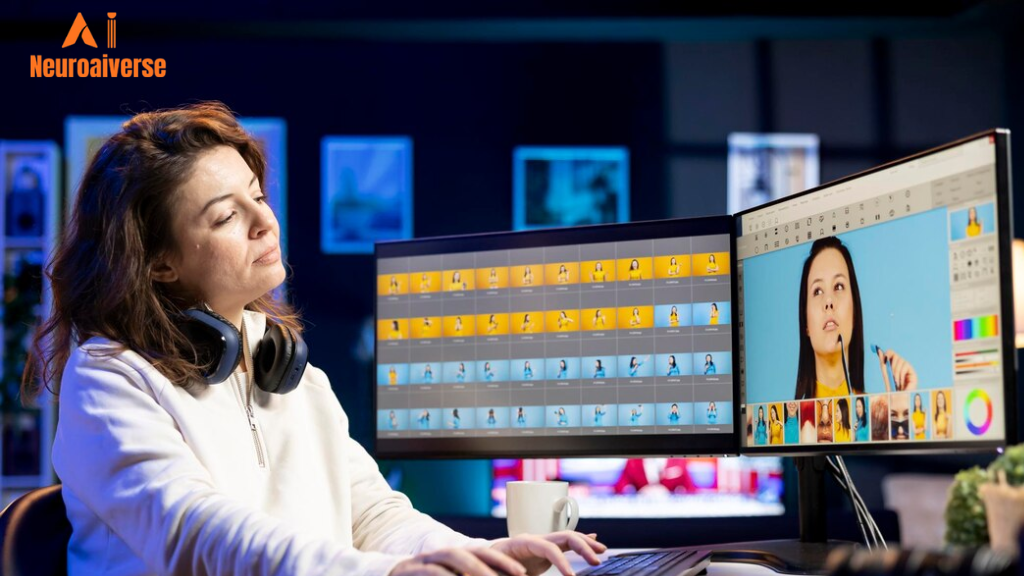
An AI video generator is a type of software that uses artificial intelligence to create video content based on text prompts, scripts, images, or existing videos.
For example, if you type:
“Create a 60-second video explaining the benefits of exercise.”
The AI can automatically:
- Generate a script
- Select relevant visuals
- Add transitions
- Create subtitles
- Generate a voiceover
- Export a complete video
All these processes are automated and take much less time, and allow you to make AI Videos for free without a watermark at your fingertips.
Why AI Video Generators Are Becoming Popular?
Videos have a continuously increasing demand on platforms such as YouTube, Instagram, Facebook, TikTok, and LinkedIn. Companies and individuals have to provide videos regularly, and AI technology can help them do that.
Key reasons for their popularity include:
- Faster content creation
- Lower production costs
- Beginner-friendly interfaces
- No advanced editing skills required
- Support for multiple languages
- Better content scalability
Why Do Free AI Video Tools Add Watermarks?
Many people end up feeling frustrated after spending time making their video and realizing there is a big watermark when exporting it. Getting to know the reason behind this might help you to make a decision.
Almost all AI video-making companies follow the freemium model. The purpose of offering these services for free is to gain customers who will eventually upgrade to the premium plan.
Watermarks have many uses, including:
- Brand Promotion
Users get the benefit of getting free marketing and promotion through watermarked videos.
- Encouraging Upgrades
Many firms use watermarks as an encouragement to buy premium services.
- Protecting Resources
The process of AI video creation is a computationally expensive task.
- Preventing Commercial Misuse
Some of the platforms require firms to get a commercial license prior to employing the videos.
Luckily, there are some applications that allow you to export videos without any watermarks at no cost.
Benefits of Creating AI Videos Without Watermarks
Watermarkless videos are not only about aesthetic appearance. They may have a huge influence on the viewer’s trust, engagement, and potential monetization possibilities.
The viewer will be paying attention to your video and not to the logo of some other brand.
- Professional Appearance
The absence of watermarks in your video makes your video look professional and credible.
- Better Brand Recognition
You won’t be promoting someone else’s brand.
- Higher Audience Trust
Professional videos usually get more engagement as they appear to be more credible.
- Improved Monetization Potential
The creators who produce content for YouTube and other platforms tend to favor the production of watermark-free videos.
- Better Social Media Performance
When people see a good, professional video, they pay more attention to your content than to someone else’s branding.
Best Free AI Video Generators Without Watermark
Selecting the proper video generator will be one of the key decisions that you will make.
Below you may find some of the top tools used to produce How to Make AI Videos for Free Without Watermark.
1. CapCut AI Video Generator
CapCut has quickly established itself as one of the most popular video editing software programs in the world. Created by ByteDance, the parent organization of TikTok, CapCut provides an excellent blend of conventional editing capabilities and AI automation.
The software has gained popularity among content creators producing short videos for social media platforms. It provides an easy-to-use interface for beginners, while its advanced capabilities give room for customization by experts.
Features
- AI video generation
- Text-to-video creation
- AI captions
- AI voiceovers
- Background removal
- Auto-cut editing
- Video enhancement tools
Pros
- Beginner-friendly
- Fast processing
- Free access to many AI features
- Excellent for short-form content
- Available on mobile and desktop
Cons
- Some premium features require payment
- Advanced exports may have restrictions
Best For
- YouTube Shorts
- TikTok videos
- Instagram Reels
- Social media creators
2. Canva AI Video Maker
However, Canva is now recognized not just as a graphic design website; it is an AI-powered content creator. Nowadays, people are able to make presentations, social media graphics, images, and videos all on one website.
AI video tools in Canva are especially helpful for marketers, teachers, and entrepreneurs who require professional-looking content and do not have time to edit anything.
Features
- AI-assisted video creation
- Magic Design tools
- Text-to-video capabilities
- Professional templates
- Animation features
- Stock media library
Pros
- Extremely easy to use
- Professional templates
- Excellent design flexibility
- Cloud-based platform
Cons
- Some premium assets require payment
- Limited advanced editing compared to dedicated editors
Best For
- Business presentations
- Educational content
- Marketing campaigns
- Corporate videos
3. Adobe Express
Adobe Express is one of the many creative applications by Adobe. Adobe Express helps users create videos easily while ensuring that they are of high quality. Most users choose to use Adobe Express since it is both user-friendly and professionally made.
Features
- AI-powered editing
- Video templates
- Voiceovers
- Text animations
- Social media optimization
Pros
- Professional-quality output
- Trusted Adobe ecosystem
- User-friendly interface
- Good template collection
Cons
- Limited free usage
- Some advanced features are premium
Best For
- Branding videos
- Marketing content
- Promotional campaigns
4. InVideo AI
The tool named InVideo is based on automation. In lieu of manual editing of scenes, one just has to specify what kind of video is needed and then let AI take care of everything else.
Thus, it would be perfect for a beginner who wants professional results without having to edit videos.
Features
- Prompt-based video generation
- AI script writing
- Voiceovers
- Stock footage integration
- Automated scene creation
Pros
- Saves significant time
- Easy for beginners
- Large stock media library
- Supports multiple languages
Cons
- Free plan limitations
- Some exports may have restrictions
Best For
- YouTube content
- Explainer videos
- Marketing videos
5. Pika
Pika is growing in popularity amongst those in search of very creative AI-based visuals. This app is centered around converting text and image prompts into creative videos.
As opposed to most video editors out there, Pika specializes in creativity and animation.
Features
- Text-to-video
- Image-to-video
- AI animation
- Creative effects
- Motion generation
Pros
- Creative output
- Modern interface
- Excellent animation capabilities
Cons
- Learning curve for advanced features
- Limited free usage
Best For
- Creative projects
- Animated content
- Experimental videos
These are some of the best tools that play an important role in how to make AI Videos for free without a watermark and grab wide user attention.
Comparison Table of Free AI Video Tools
| Tool | Free Plan | Watermark-Free Export | Best For |
|---|---|---|---|
| CapCut | ✅ Yes | ✅ Yes (Limited) | Shorts & Reels |
| Canva | ✅ Yes | ✅ Yes | Marketing |
| Adobe Express | ✅ Yes | ⚠️ Limited | Branding |
| InVideo AI | ✅ Yes | ⚠️ Limited | YouTube |
| Pika | ✅ Yes | ⚠️ Limited | Creative Videos |
How to Make AI Videos for Free Without Watermark
Since you now know about the best tools available, we will now move forward to discuss the process of making watermark-free AI videos.
While there are differences in user interfaces from one platform to another, the basic steps remain the same for all.
Step 1: Select the Right Tool
Your choice should depend on your goals.
For example:
- CapCut for short-form content
- Canva for business videos
- InVideo AI for YouTube
- Pika for creative projects
Choosing the correct platform can significantly improve your results.
Step 2: Decide Your Video Goal
Before generating content, define what you want your video to achieve.
Examples include:
- Educating viewers
- Promoting a product
- Generating leads
- Building brand awareness
- Growing a YouTube channel
A clear objective helps AI generate more relevant content.
Step 3: Create a Script
Even though AI can generate scripts automatically, creating your own script often produces better results.
A strong script should include:
- A hook
- Main information
- Key takeaways
- Call to action
The script acts as the foundation of your video.
Step 4: Write a Detailed Prompt
The prompt you provide directly influences the outcome.
Instead of saying:
“Make a fitness video.”
Write:
“Create a 60-second motivational fitness video featuring energetic visuals, gym scenes, dynamic transitions, subtitles, and an inspiring voiceover.”
Detailed prompts usually generate better videos.
Step 5: Generate the Video
Once the prompt is ready, allow the AI to generate the initial version.
Most platforms will automatically:
- Select visuals
- Create scenes
- Add transitions
- Generate captions
This process typically takes a few minutes.
Step 6: Customize the Content
Never publish the first version immediately.
Review and customize:
- Text
- Colors
- Fonts
- Music
- Branding
- Images
Adding personal touches improves originality.
Step 7: Add Voiceovers
Voiceovers can dramatically improve viewer engagement.
Many AI platforms offer:
- Male voices
- Female voices
- Multiple accents
- Different languages
Choose a voice that matches your audience and content style.
Step 8: Add Captions
Captions improve accessibility and engagement.
Benefits include:
- Better watch time
- Improved comprehension
- Accessibility for hearing-impaired viewers
- Increased social media performance
Many viewers watch videos without sound, making captions essential.
Step 9: Review Everything
Before exporting, carefully review:
- Grammar
- Timing
- Voice synchronization
- Scene transitions
- Branding consistency
Small mistakes can affect professionalism.
Step 10: Export Without Watermark
Select the highest quality available under the free plan and export the final video.
Common export settings include:
- MP4 format
- 720p
- 1080p
Your watermark-free video is now ready for publishing.
Real Example: Creating a YouTube Short Using AI
Let’s see an example.
Think about making a YouTube Short on productivity tips.
- Prompt
“Create a 30-second YouTube Short explaining three productivity tips for students using modern animations, energetic music, subtitles, and a professional voiceover.”
- AI Process
The AI will:
- Generate scenes
- Add stock footage
- Create captions
- Insert music
- Generate narration
- Editing
You can then:
- Replace visuals
- Adjust text
- Add branding
- Improve pacing
- Export
First, download the video without a watermark and upload it to YouTube Shorts.
The whole process may last under 20 minutes.
Expert Tips for Creating Better AI Videos
It is fairly simple to create a video. The challenge lies in making it a success.
- Use Detailed Prompts
The prompts are very specific.
- Add Human Creativity
AI is supposed to help, not hinder, the creative process.
- Use Strong Hooks
The first few seconds make the difference.
- Keep Videos Short
Short videos tend to do better on social media.
- Maintain Brand Consistency
Use consistent:
- Fonts
- Colors
- Logos
- Messaging
- Test Different Formats
Experiment with:
- Tutorials
- Reviews
- Listicles
- Explainers
- Motivational videos
Common Mistakes to Avoid
Not every creator is perfect. Here are some of the common mistakes that we have listed below that most beginners usually make. To avoid those mistakes, check all the points mentioned below. This will also help you make AI videos for free without a watermark.
- Relying Completely on AI
Always review and revise the output.
- Ignoring Audience Needs
It’s important to give value instead of just making content.
- Using Weak Prompts
Generic prompts generate generic videos.
- Overusing Effects
Animation overkill is distracting.
- Skipping Captions
Captions are necessary to engage the viewers.
These are some of the common mistakes that most beginners make that affect their results. To avoid these mistakes, one has to simply rely on his/her skills and the prompts that they have provided the AI agents.
Can You Monetize AI Videos?
Of course, there are plenty of creators who earn money on AI-generated content. However, it is important to understand that creators who are earning using AI videos have invested an impressive amount of time to succeed in their journey.
Common ways of monetizing such content include:
- YouTube Ad Revenue
- Affiliate Marketing
- Freelancing
- Online Courses
- Sponsored Content
- Digital Products
Still, successful creators tend to incorporate their own editing, narration, analysis, and branding in addition to using AI-generated content.
The Future of AI Video Creation
AI video technology is developing rapidly. It takes minutes now but perhaps only seconds tomorrow.
Future innovations will possibly include:
- Realistic AI actors
- Longer video generation
- Better voice cloning
- Real-time editing
- Personalized content creation
- Enhanced cinematic quality
As they become more affordable, these technologies will give artists even more opportunities to create professional work at minimal cost.
Conclusion
Getting to know how to make AI Videos for free without a watermark may lead to wonderful opportunities for all people, including content makers, entrepreneurs, students, and marketers. Modern technologies allow everyone to produce professional videos without any special equipment, knowledge of editing, or other resources.
Some of the websites, such as CapCut, Canva, Adobe Express, InVideo AI, and Pika, provide people with an opportunity to create amazing videos within several minutes and spend a minimal amount of money. It is necessary to pay attention to proper prompt usage, good-quality graphics, voiceovers, captions, and creative ideas of your own.
The most important thing here is not only the AI itself but its application. Consider AI an excellent assistant in your work and make the necessary improvements to your video. You can create a professional content creation process without high expenses using the mentioned technologies.
Frequently Asked Questions
Q – Can I make AI videos completely free?
Ans – Yes. Several AI video platforms offer free plans that allow users to create videos without paying.
Q – Which AI video tool is best for beginners?
Ans – CapCut and Canva are excellent choices due to their simplicity and user-friendly interfaces.
Q – Can I create YouTube videos using AI?
Ans – Absolutely. AI can assist with scripting, editing, voiceovers, subtitles, and video generation.
Q – Are AI-generated videos legal?
Yes, provided you follow copyright laws and platform guidelines.
Q – Can AI videos be monetized?
Ans – Yes. Many creators monetize AI-assisted content through YouTube, affiliate marketing, sponsorships, and other revenue streams.

My name is Sachin, an SEO Expert and Technical Content Writer covering AI tools, productivity software, and digital marketing. I write practical, research-backed guides to help individuals and businesses find the right technology to grow faster and get more done.