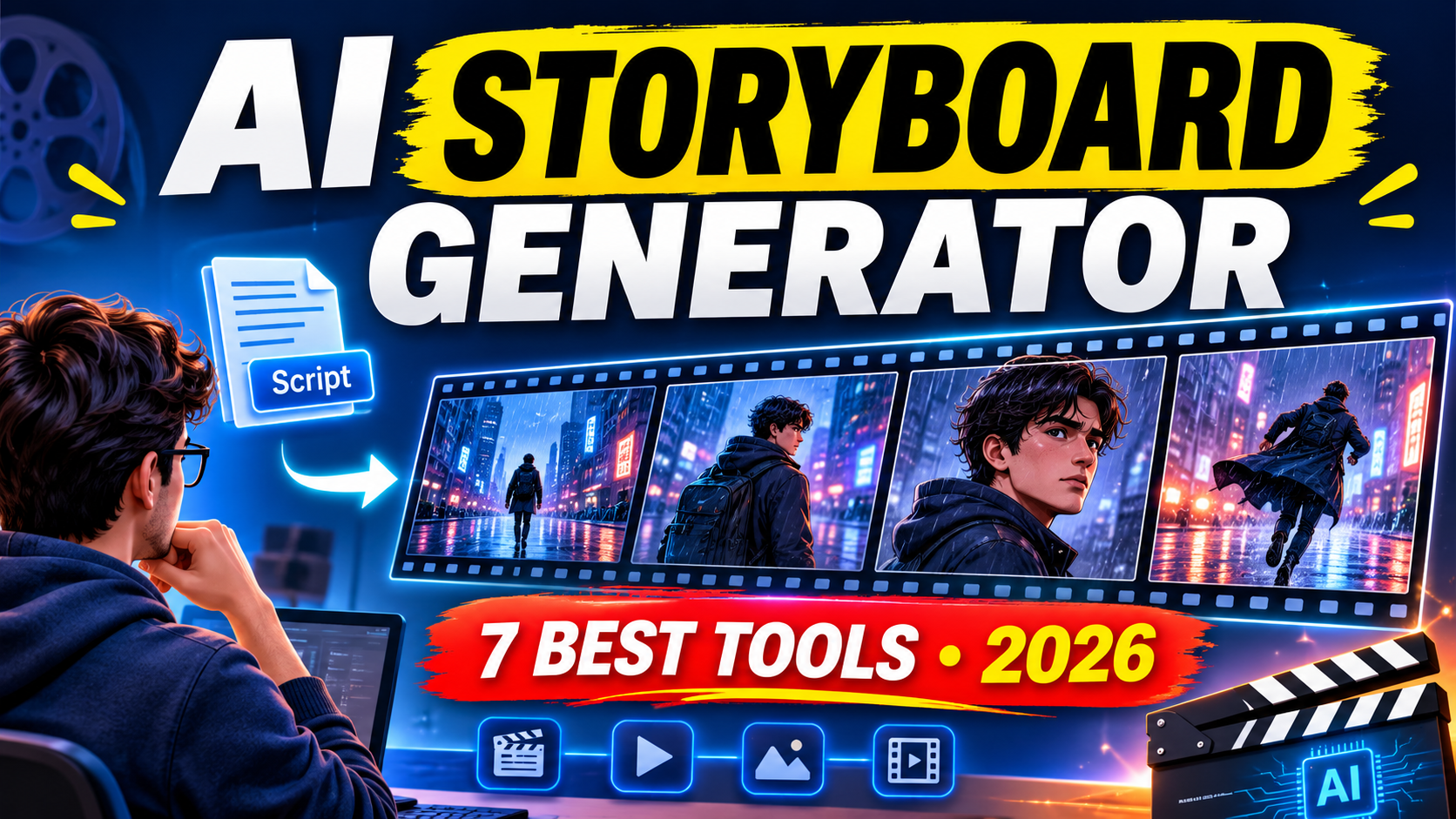
7 Best AI Storyboard Generators in 2026 (Free and Paid Tools Compared)
Creating a video, short film, advertisement, or animation requires more than a good script. You also need to decide how each scene will look, where the camera should be positioned, what characters will do, and how one shot will connect to the next.
This is where an AI storyboard generator can help.
Instead of drawing every scene manually, you can use AI to convert a written idea or script into visual frames. Some platforms can also identify scenes, suggest camera angles, maintain character appearances, and turn storyboard frames into video.
However, not every tool offers the same features. Some provide limited free image generations, while others charge for AI-powered storyboard creation even when their basic storyboard editor is free.
In this guide, we compare the best AI storyboard generators, including their features, pricing, free access, limitations, and ideal use cases. We also cover options for people looking for a free AI storyboard generator without signing up.
What Is an AI Storyboard Generator?
An AI storyboard generator is a tool that uses artificial intelligence to turn a written concept, script, or scene description into a sequence of visual frames.
A traditional storyboard requires someone to draw or arrange images representing different moments in a video. An AI storyboard generator automates parts of this process by interpreting your instructions and creating visual representations of individual scenes.
For example, imagine you want to create a short video about a person walking through a rainy city at night.
You can provide a description such as:
“A young man walks alone through a busy city street at night. Rain is falling, neon lights reflect on the road, and the camera follows him from behind.”
An AI storyboard tool can use this description to create visual frames representing the scene.
Depending on the platform, you may also be able to:
- Convert an existing script into individual scenes.
- Generate images for different shots.
- Maintain character appearances across multiple frames.
- Change camera angles and shot compositions.
- Add dialogue and production notes.
- Export storyboards for presentations or video production.
These tools are useful for filmmakers, YouTubers, advertising agencies, animation creators, marketing teams, and students.
7 Best AI Storyboard Generators in 2026
Here are seven platforms worth considering, based on their published features, available access options, and intended workflows.
1. Boords
Best for: Filmmakers, animation studios, and creative teams.
Boords is a dedicated storyboard and pre-production platform that helps users convert scripts and creative ideas into visual storyboards.
You can paste a screenplay, treatment, or short creative brief into its AI storyboard generator. The platform can break the content into scenes and generate corresponding storyboard frames.
You can also describe individual scenes using text prompts when you don’t have a complete script.
One useful feature is its storyboard collaboration workflow. Teams can organize frames, add production information, and review their visual plans before starting production.
Key features:
- AI-powered script-to-storyboard conversion.
- Scene breakdown and visual frame generation.
- Manual frame editing.
- Storyboard organization and collaboration.
- PDF exports and presentation workflows.
- Support for animation and video pre-production.
Pricing and free access:
Boords offers a free plan with:
- Five active storyboards.
- Three active scripts.
- Eight sample AI image credits.
- No credit card required.
The eight sample image credits are a one-time allowance, not monthly credits.
Its paid Solo plan costs $39 per month when billed monthly or $26 per month with annual billing.
Limitations:
The free image allowance is limited. If you need to generate many storyboard frames regularly, you will probably need a paid subscription.
My take: Boords is worth considering if you need a dedicated storyboard workspace rather than a general AI image generator.
2. LTX Studio
Best for: Filmmakers and creators who want to develop storyboards and AI videos in one platform.
LTX Studio is an AI-powered filmmaking platform that supports several stages of video production, including story development, storyboarding, image generation, and video creation.
You can start with a written concept or script. The platform can divide your content into scenes and shots, helping you understand how the story could appear visually.
It also provides tools for managing characters, objects, and locations. These elements can help maintain visual consistency throughout a project.
Another advantage is its connection between storyboarding and video production. You can develop your visual plan and continue working on the project within the same platform.
Key features:
- AI-assisted storyboard creation.
- Script and concept-based workflows.
- Scene and shot breakdown.
- Character and location management.
- Image and video generation.
- Animated storyboard previews.
- PDF pitch deck and MP4 exports.
Pricing and free access:
LTX Studio offers these published plans:
| Plan | Price | Credits |
|---|---|---|
| Free | $0 | 800 one-time credits |
| Lite | $15/month | 8,000 monthly credits |
| Standard | $35/month | 28,000 monthly credits |
| Pro | $100/month | 110,000 monthly credits |
The lower displayed prices of $12, $28, and $100 apply to the respective listed yearly-billing offers, with the first two being annual-billing prices.
An important distinction: the free plan includes blank storyboards, but AI-generated storyboards are listed under Standard. The free plan also carries a personal-use licence, not a commercial-use licence.
Limitations:
LTX Studio is currently designed for desktop use. Also, the 800 free credits are provided once rather than renewed every month.
My take: Choose LTX Studio if you want a broader filmmaking environment and expect to move from story planning into AI video production.
3. Katalist
Best for: Creators who need consistent characters and script-based visual storytelling.
Katalist is an AI creative platform that focuses on turning scripts into visual storyboards and videos.
You can write a script within the platform or import an existing one. Katalist then breaks the script into shots and generates storyboard images.
One of its useful capabilities is character consistency. You can establish a character and use it as a reference across different scenes. This is particularly helpful when creating a video with recurring characters.
The platform also allows you to refine generated images, adjust poses, modify framing, and regenerate individual shots.
Key features:
- Script-to-storyboard generation.
- Automatic shot breakdown.
- Consistent character generation.
- Reference image uploads.
- Image editing and regeneration.
- AI voiceovers.
- Video generation and lip-sync features.
Pricing and free access:
| Plan | Monthly price | Image credits/month |
|---|---|---|
| Essential | $19 | 200 |
| Pro | $39 | 700 |
| Unlimited | $99 | Unlimited |
The platform offers a seven-day free trial. The trial is advertised with unlimited generations.
Annual billing has separate prices, so check the official pricing page before subscribing.
Limitations:
The free access is a trial rather than a permanent free plan. Once the trial ends, you need a subscription to continue using the paid features.
My take: Katalist is a strong option when character consistency matters more than simply creating a few independent storyboard images.
4. StoryboardHero
Best for: Advertising agencies, freelancers, and professional video creators.
StoryboardHero is an AI storyboard generator designed to help creative professionals turn ideas and scripts into visual presentations.
It focuses on the pre-production process, allowing users to develop concepts, create scripts, generate storyboard frames, and share their work with clients.
The platform also offers options for exporting storyboards as PDFs or MP4 videos.
This can be useful for agencies that need to show clients how an advertisement or promotional video might look before production begins.
Key features:
- AI-assisted script creation.
- Storyboard and frame generation.
- Multiple visual styles.
- PDF and MP4 exports.
- Online storyboard sharing.
- Guest commenting.
- Password-protected sharing options.
Pricing and free access:
| Plan | Monthly price |
|---|---|
| Solo | $19 |
| Starter | $59 |
| Advanced | $199 |
| Enterprise | Custom pricing |
StoryboardHero offers a seven-day free trial without requiring a credit card.
The plans differ in the number of users, premium AI image allowances, and collaboration features.
Limitations:
It is primarily a paid professional tool. The free trial is useful for testing the platform, but it is not a permanent free subscription.
My take: StoryboardHero is worth exploring if you regularly prepare visual presentations for clients or advertising campaigns.
5. Storyboarder.ai
Best for: Creators who want to move from scripts to detailed visual pre-production.
Storyboarder.ai is designed to automate several stages of the storyboard creation process.
Rather than manually creating every frame, users can work with scripts and concepts to develop scenes, shot lists, and visual representations.
The platform is particularly relevant for short films, commercials, and other video projects that require a structured visual plan.
Key features:
- Automatic storyboard generation.
- Script and concept workflows.
- Shot breakdown and shot lists.
- AI image generation.
- Video generation options.
- Exporting storyboards.
- Visual pre-production tools.
Pricing and free access:
Its published limited free trial includes:
- One project.
- Nine shots per project.
- 20 image generations.
- Two video generations.
- Watermarked exports.
- No commercial-use rights.
Paid plans are listed at $69 per month for Starter, $149 for Pro Unlimited, and $399 for Production Unlimited when billed monthly. The pricing page also displays lower annual-billing offers.
Check the current checkout price before purchasing because promotional prices can change.
Limitations:
The free trial has strict project and generation limits. It also excludes commercial use.
My take: Consider this platform if you want more than basic storyboard images and need a structured workflow for developing a video project.
6. Krock.io
Best for: Freelancers and production teams looking for an accessible online storyboard workspace.
Krock.io combines storyboard creation with media collaboration and review workflows.
Its online storyboard creator allows users to arrange visual frames, add descriptions, and organize scenes. The platform also describes AI-assisted frame generation as part of its storyboard workflow.
One interesting aspect is its browser-based approach. You can begin creating a storyboard without installing desktop software.
Krock also promotes a no-sign-up starting experience for its basic storyboard creator.
Key features:
- Browser-based storyboard creation.
- AI-assisted frame generation.
- Scene descriptions and production notes.
- Frame arrangement and editing.
- Online sharing.
- Collaboration and feedback.
- PDF export options.
Pricing and free access:
Krock’s published October 2026 guide describes its storyboard creator as free, with unlimited boards and frames and no account required to begin.
However, Krock also offers broader paid production collaboration services. Check which features are available in the free storyboard workspace before using it for a professional project.
Limitations:
Its storyboard functionality should not be confused with every feature in its wider production-review platform. Check the current feature and export restrictions before committing to a client workflow.
My take: Krock.io is one of the first platforms I would investigate if your priority is starting a storyboard without creating an account.
7. Canva
Best for: Beginners, students, marketers, and social media creators.
Visit Canva Storyboard Creator
Canva is not a dedicated script-to-storyboard generator, but it is a useful option for creating visual storyboards without learning complicated design software.
It offers storyboard templates, a drag-and-drop editor, stock images, illustrations, and collaboration features.
You can create individual frames, arrange them in sequence, add descriptions, and share the finished storyboard with other people.
Canva also provides AI-powered design tools through its Magic Studio features. However, availability and usage limits depend on the specific AI feature and subscription plan.
Key features:
- Ready-made storyboard templates.
- Drag-and-drop editing.
- Stock photos and illustrations.
- Text and visual elements.
- Team collaboration.
- AI-assisted design features.
- Online sharing and presentation.
Pricing and free access:
Canva offers a free storyboard creator and a free design plan.
Some premium templates, assets, and AI features require a paid subscription or have separate usage limits.
Limitations:
Canva does not automatically convert a complete screenplay into a sequence of generated storyboard frames in the same way as dedicated AI storyboarding platforms.
My take: Canva is a practical choice for simple storyboards, presentations, and social media planning. However, filmmakers looking for automatic script-to-storyboard generation should consider a dedicated platform.
Comparison: Best AI Storyboard Generators
Here is a quick comparison of the seven platforms.
| Tool | Main strength | Free access | Best suited for |
|---|---|---|---|
| Boords | Script-to-storyboard | Limited free plan | Production teams |
| LTX Studio | Storyboarding and video production | 800 one-time credits | Filmmakers |
| Katalist | Character consistency | 7-day trial | Video creators |
| StoryboardHero | Client presentations | 7-day trial | Agencies |
| Storyboarder.ai | Script and shot breakdown | Limited trial | Filmmakers |
| Krock.io | Online storyboard workspace | Free access claimed | Freelancers |
| Canva | Templates and design | Free plan | Beginners |
Note – Prices and free-plan details should always be checked on the linked official pages before purchasing. All prices above are in USD.
Which AI Storyboard Generator Is Best for Different Users?
The best tool depends on the kind of project you are creating.
For beginners: Canva is a sensible starting point because of its ready-made templates and straightforward editor.
For filmmakers: LTX Studio and Boords are worth considering because they offer more structured pre-production workflows.
For consistent characters: Katalist is a strong option because it supports character references and recurring visual appearances.
For advertising agencies: StoryboardHero is worth considering for client presentations, sharing, and feedback.
For people looking for free access: Start by comparing Boords, LTX Studio, and Krock.io. Their free offerings differ significantly, especially when it comes to AI image generation.
Is There a Free AI Storyboard Generator Without Signing Up?
Yes, there are options that advertise access without requiring an account to begin, but you should understand the difference between creating a storyboard and generating AI images.
Krock.io advertises a no-sign-up storyboard creation experience. Its provider-published guide also describes AI-assisted frame generation in its free workflow.
Boords allows visitors to explore sample storyboards and its interface without signing up. However, creating and saving your own projects and generating AI images requires an account.
Canva offers a free storyboard creator, but you generally need an account to save and manage your designs.
Therefore, if you specifically want an AI storyboard generator free no sign up, Krock.io is the first option worth testing. Do not assume that every feature, export option, or generation allowance is available without registration.
How to Create a Storyboard Using AI
Most AI storyboard generators follow a similar process.
Step 1: Prepare Your Script or Idea
Start with a clear description of the video you want to create.
For example, if you are making a 30-second advertisement, write down the main message, characters, setting, and actions.
Step 2: Choose an AI Storyboard Tool
Select a platform based on your requirements.
If you need character consistency, try Katalist. If you want a broader filmmaking workflow, explore LTX Studio.
Step 3: Generate Scenes and Frames
Enter your script or scene description.
The AI may divide your content into multiple scenes and create visual frames based on your instructions.
Step 4: Review the Generated Images
Do not assume every generated frame will accurately represent your script.
Check character appearances, backgrounds, camera angles, objects, and scene continuity. Regenerate or edit frames that do not match your intended result.
Step 5: Export Your Storyboard
Once you are satisfied, export your storyboard in the format supported by your selected platform.
You can use it as a reference during filming, animation, video editing, or client presentations.
Final Verdict
AI storyboard generators can make video planning easier by reducing the time required to create individual visual frames and organize scenes.
However, choosing a tool based only on its free plan can be misleading. Some platforms offer free storyboard editing but charge for AI image generation. Others provide limited trials that are useful for testing but not ongoing production.
For dedicated storyboarding, Boords is worth exploring. LTX Studio is a good option for creators who want to connect storyboarding with video production, while Katalist is particularly interesting for projects involving recurring characters.
If you want to start without spending money, compare the actual free allowances of Boords, LTX Studio, and Krock.io before choosing.
Ultimately, the right AI storyboard generator is the one that fits your production workflow, gives you sufficient control over individual frames, and lets you create a visual plan without unnecessary costs.
Frequently Asked Questions
1. What is the best AI storyboard generator?
Ans – There is no single best tool for every project. Boords is worth considering for dedicated storyboarding, LTX Studio for filmmaking workflows, and Katalist for character consistency.
2. Can I create a storyboard using AI for free?
Ans – Yes. Some platforms provide free plans or trials. Boords offers limited free AI image credits, while LTX Studio provides 800 one-time credits. However, its AI storyboard generation feature is listed under the paid Standard plan.
3. Which AI storyboard generator is best for filmmakers?
Ans – Boords and LTX Studio are useful options for filmmakers. Both support structured visual planning, although their workflows and pricing are different.
4. Can AI generate a storyboard from a script?
Ans – Yes. Platforms such as Boords, Katalist, LTX Studio, and Storyboarder.ai support script-based or concept-based storyboard workflows. The available automation differs between platforms.
5. Can I create a storyboard without drawing skills?
Ans – Yes. AI-powered platforms can generate visual frames from text descriptions, while template-based tools such as Canva allow you to arrange existing images and design elements.
6. Is an AI storyboard generator the same as an AI video generator?
Ans – No. A storyboard generator focuses on planning scenes and representing them through visual frames. An AI video generator creates moving video clips. Some platforms, including LTX Studio and Katalist, combine elements of both workflows.

My name is Sachin, an SEO Expert and Technical Content Writer covering AI tools, productivity software, and digital marketing. I write practical, research-backed guides to help individuals and businesses find the right technology to grow faster and get more done.